Summary

The saying time is money couldn’t be more spot on for the medical practice that doesn’t have an integrated EHR and practice management software system. Lacking a tight interface, silo systems that run independently can create duplicate work for clinicians and the billing staff. A recent article in Physicians Practice outlines the four main reasons...

Join Fellow Healthcare IT Pros

Tips, Guides, News & More

Sign Me Up
Hourglass Ticking

The saying time is money couldn’t be more spot on for the medical practice that doesn’t have an integrated EHR and practice management software system. Lacking a tight interface, silo systems that run independently can create duplicate work for clinicians and the billing staff.

A recent article in Physicians Practice outlines the four main reasons to integrate your practice management and EHR now:

  1. Save time
  2. Save money
  3. Fewer mistakes
  4. Lower risk of privacy breaches

Once you’ve made the decision to move forward with system integration, there likely will be questions around how much data to convert into the new system vs. having another solution to maintain the legacy data.

This is where we can help.

Harmony Healthcare IT works with medical practices of all sizes and in various states of planning for legacy data retention. We have a streamlined and seamless process that removes the burden of how to manage historical records while meeting record retention mandates.

Our team supports the entire data lifecycle and provides a comprehensive legacy data archive solution. With the archive, the data is still available, easily accessible, and stored in a secure and searchable format. Archiving allows the organization to easily move on to its new EHR system without having to deal with a costly and complex data conversion.

Visit our resource section on our website for complementary tools, videos, case studies and white papers.

Better yet, contact us and we’ll walk you through the process and show you a demo of the archive in action.

Healthcare IT tips, guides, news & more delivered to your inbox

Learn More

Summary

When migrating personally identifiable information (PII) from one database to another, privacy and security are critical.  Because the role of your data archiving vendor is to migrate and retain patient or employee data from your inventory of legacy systems into a single storage place, vetting out its commitment to security protocols and standards should be a top priority. For...

Join Fellow Healthcare IT Pros

Tips, Guides, News & More

Sign Me Up
10 Privacy and Security Questions to ask your future data archiving partner

When migrating personally identifiable information (PII) from one database to another, privacy and security are critical.  Because the role of your data archiving vendor is to migrate and retain patient or employee data from your inventory of legacy systems into a single storage place, vetting out its commitment to security protocols and standards should be a top priority.

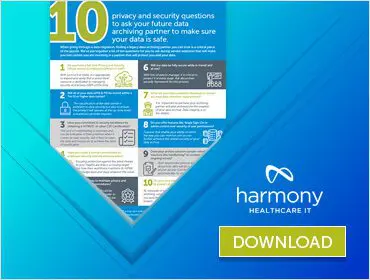
For this reason, we’ve put together a list of the “10 privacy and security questions to ask your future data archiving partner to make sure your data is safe.”  This is a great tool to help you compare and contrast archiving vendors on the topic of security, which, arguably, should be your first order of business to narrow your list of vendors in the selection process.

Focusing solely on health data management and archiving for over a decade now, Harmony Healthcare IT has fielded thousands of security questions from prospects who have written a request for proposal for EMR or ERP data storage.  In responding to each of these concerns through the years, we have developed a robust security framework not only within our HealthData Archiver® solution but also within our company culture.

Bottom line:  the security of your data matters to us.  

Click here to download the 10 Things You Need to Know… and contact us when you are ready to discuss your data migration and archiving needs.

Healthcare IT tips, guides, news & more delivered to your inbox

Learn More

Summary

As healthcare organizations continue to upgrade to new EMR systems, there are more and more disparate legacy systems hanging around. The focus for many healthcare IT teams is on security, analytics and patient engagement as these areas have emerged as top areas for consideration in 2017. However, improvements to interoperability, workflow and usability also are...

Join Fellow Healthcare IT Pros

Tips, Guides, News & More

Sign Me Up
Vintage items in the attic

As healthcare organizations continue to upgrade to new EMR systems, there are more and more disparate legacy systems hanging around. The focus for many healthcare IT teams is on security, analytics and patient engagement as these areas have emerged as top areas for consideration in 2017. However, improvements to interoperability, workflow and usability also are key as reported in a recent survey in Healthcare IT News. As IT teams continue to integrate new features and move forward with migrating to new EHR’s, the question remains:

Has your data center become a server attic?

This is a question posed by Pete Rivera, FHIMSS, in this blog post.  As the Director of Informatics at Hayes Management Consulting, Rivera talks to a lot of healthcare CIOs about projects like a migration to Epic EMR or conversion to Cerner EMR. Inevitably, questions about what to do with all of the legacy systems left behind becomes a part of the discussion.

In his EMR retirement blog, Rivera poses a set of due diligence questions that set the foundation for any EMR Retirement project. The questions might be as simple as “which systems got replaced” and “how much is that system still costing us” to the more complex “what are the use cases for applications containing legacy data” and “what is the value of the data from a clinical and workflow perspective.” He also considers important topics like accounts receivable rundown and approaches for storing Digital Imaging and Communications in Medicine (DICOM) files.

If your healthcare organization has recently gone through a system replacement, you will likely find Rivera’s EHR retirement post helpful. There are a number of EHR retirement consulting firms like his that are able to facilitate the prioritization of healthcare systems to decommission or to provide guidance on the governance of the patient data to be archived. If you don’t have the resources internally to manage this process directly with your EMR archiving vendor then vetting out consulting firms who specialize in legacy data management can be a great choice.

Ask us for a list of consultants that we’ve worked with in the past.

Editor’s Note: Some content is from a blog originally posted on May 28, 2015.

Healthcare IT tips, guides, news & more delivered to your inbox

Learn More

Summary

Utilizing a cross-functional Governance Group can help support the long-term legacy data management strategy within your healthcare organization. Overall, while IS may initiate the project for cost and labor burden reductions, the business should play a bigger role in upfront decision-making and data validation of the data it uses.

Join Fellow Healthcare IT Pros

Tips, Guides, News & More

Sign Me Up
Conference Room

Data Governance goes hand in hand with data quality. In healthcare, we see a continued push toward data technology leadership to ensure that EMR and especially legacy health data is well managed throughout its complete life cycle. The time to ensure your organization’s Data Governance policies are top notch, is yesterday.

There are some really important reasons to shore up your organization’s IT health. Health data is stepping up to play a more critical role on the operating room floor. For example, it is predicted that by 2019, “digital mobile engagement among life science companies, patients, and providers will have increased 50%, improving brand sentiment, clinical trial recruitment, and medication adherence”, which underscores the rising importance of Data Quality and Data Governance in clinical data. Emerging technologies and new uses for data only underscore the need for a comprehensive data management plan that starts with a Data Governance team.

As healthcare technology and systems continue to evolve, it is important that the approach and teams involved in stewarding the data evolve as well.

What can your team do to review your Data Governance approach to legacy data? Here are a few tips from IT professional, Mary Martha Treadaway:

Many healthcare organizations charge the Information Services (IS) department with developing an EMR legacy migration and decommissioning strategy to meet medical record retention requirements. As legacy system cost and maintenance typically falls to the IS department, this seems reasonable. However, long-term, solely charging IS with legacy data management may not be the best decision. Several critical cross-departmental compliance issues must be considered to determine whether a healthcare application is eligible to be decommissioned. Engaging key stakeholders will help ensure the IS team will not make or miss key data decisions in impacted clinical and operational areas. Here are four tips for successful legacy health data governance:

1) Create and Facilitate a Cross-Functional Governance Group
If you haven’t already formed a team, leverage a multidisciplinary Governance Group to assist with EMR legacy migration and decommissioning decisions. This is important as each business stakeholder brings a unique business perspective to the table. Typically, the group includes representatives from Health Information Management (HIM), Finance (Patient Financial Services and General Ledger/HR), Clinical, Operations, Legal, Audit & Compliance, and IS. This group will:

  • Establish a health data archiving vendor strategy
  • Provide input and approval around the prioritization of applications
  • Ensure policy and standards are followed
  • Oversee resourcing (business role in validation is key)
  • Monitor regulation awareness and compliance

Objections like “we don’t need another cross-functional committee” or “we can’t afford the time it takes to meet each month” may indicate a need for third-party involvement to guide the group. The right 3rd party facilitator can minimize the time of all involved and maximize the impact of the project. The facilitator takes into account the organizational culture, the portfolio of systems to be decommissioned, and medical record retention policies. This will help the organization gain momentum since legacy management is not always a primary focus for those in the group.

2) Ensure that HIM is at the Table
At one healthcare organization, IS was leading the charge on EHR migration. Once the access to legacy data was rolled out, an HIM resource inquired about the archival of a particular database. The IS Department immediately realized it had missed including this application in the archive completely. HIM team members often have historical knowledge of past systems and knowledge such as: What do we have? Why did we have it? What was the purpose? What protected health information did it store? Earlier engagement of HIM resources may have identified the system in the initial scope. The key is to have the business engaged from the beginning.

3) Identify a Business Sponsor per Legacy Software Application
Assign a person to be an accountable resource from a validation perspective. If barriers are encountered or if feedback or guidance is required from an operations perspective, go to the sponsor. This role is about taking ownership because, ultimately, the Business Sponsor will approve decisions. Legacy data management is real — real data, real patients. By human nature, we ask better questions when we’re ultimately responsible.

4) Establish Project Managers and an Ongoing Support Structure
Once you have the EMR legacy migration and decommissioning team in place, develop the management framework within which data retention and legacy application related decisions are made. The goal is to provide a structured approach to conduct initial legacy application remediation activities as well as future data retention efforts. While each organization will encounter unique situations, expect your Governance Group to engage in the following scenarios:

  • Prioritization of projects and determining a plan for data management
  • Accountability – Who is accountable for sign off? Who owns the data? As health systems acquire Ambulatory sites, decisions have to be made about the rundown of accounts receivable and security of clinical data. How will future Releases of Information be provided?
  • Policy for destruction of data. Work with your legal team to create the framework and processes for data destruction when retention periods have been met.
  • Clarification of differences between Data Warehouses and Health Data Archives.
  • Regulatory and Audit instances

Utilizing a cross-functional Governance Group can help support the long-term legacy data management strategy within your healthcare organization. Overall, while IS may initiate the project for cost and labor burden reductions, the business should play a bigger role in upfront decision-making and data validation of the data it uses.

Guest blog submitted by Mary Martha Treadaway

marymartha-himformaticsMary Martha is a healthcare IT professional with more than 15 years of experience. She received her BSBA in Management Information Systems from East Carolina University. Mary Martha has assisted multiple healthcare systems in North Carolina with their data retention strategy and program efforts focusing on end-to-end data retention project management including developing the governance framework, creating the Total Cost of Ownership, managing the stakeholder steering committee meetings and decommissioning systems.

Note: Some of the content in this post originally appeared in an earlier blog published in 2015.

Healthcare IT tips, guides, news & more delivered to your inbox

Learn More

Summary

Did you know that the five top EHR vendors make up 84.28 percent of the market share? It’s likely no surprise that Cerner and Epic, together, claim over 50% of the market share. These statistics are based on the proportion of hospitals that reported using the developers’ solutions as a part of the Medicare EHR...

Join Fellow Healthcare IT Pros

Tips, Guides, News & More

Sign Me Up
Medical Workers Looking at Tablet

Did you know that the five top EHR vendors make up 84.28 percent of the market share? It’s likely no surprise that Cerner and Epic, together, claim over 50% of the market share.

These statistics are based on the proportion of hospitals that reported using the developers’ solutions as a part of the Medicare EHR Incentive Program between 2011 and 2016.

Here is the breakdown:

  1. Cerner: 23.73 percent
  2. Epic: 22.14 percent
  3. MEDITECH: 20.75 percent
  4. McKesson: 9.81 percent
  5. MedHost: 7.95 percent

These stats, as well as our growing sales pipeline, demonstrate that system replacement continues to be a big priority in healthcare IT.

Has your organization recently moved to a new go-forward EHR? If so, what is its strategy to handle data from the replaced system to meet federal and state record retention mandates?

Healthcare organizations can get so busy implementing and supporting complex enterprise EHR systems that they postpone decommissioning their legacy applications.  As a result, these out-of-production EHRs often remain active — in read-only mode – for historical record look-up. That adds cost, labor and risk to the IT portfolio.  Harmony Healthcare IT helps healthcare delivery organizations decommission legacy systems by first archiving clinical, financial, and administrative healthcare data.

We can help when the strategy is to migrate key clinical data elements (say, the past 24 months of PAMI+P history) into the go-forward EHR system.  We also offer a cost effective solution to migrate “all the data” from disparate legacy data sources into a single, secure solution called HealthData Archiver®.

Here are some quick resources to learn more about what we do:

1. Download our paper called “System Replacement Impact on Legacy Data.” This document provides information for healthcare providers engaged in determining and implementing best practices for managing legacy data.

It examines

  • data retention exposures when a system is replaced
  • strategies for managing legacy data when a system is replaced
  • the benefits of data archiving to satisfy retention requirements
  • a look ahead at the proliferation of health data storage volume


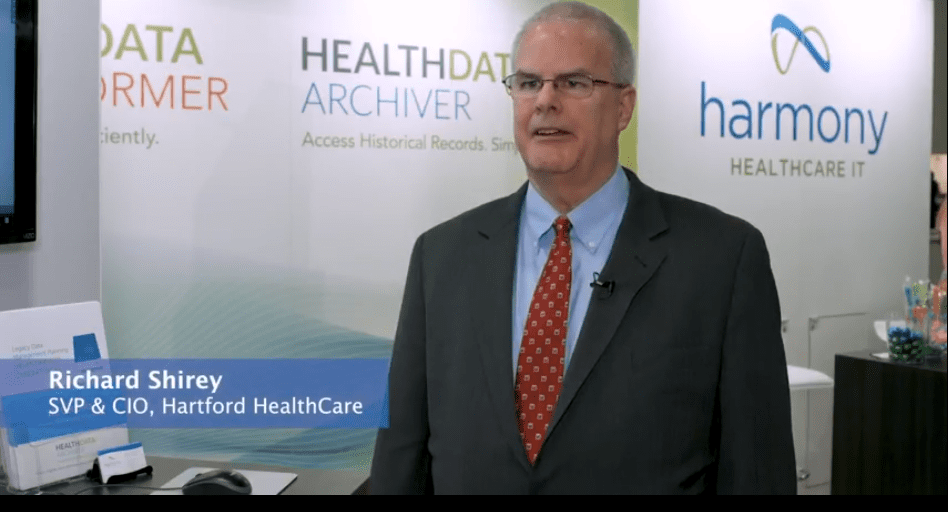
2. Don’t just take our word for it.  Listen to one of our multi-hospital clients on the East Coast discuss how/why they chose Harmony Healthcare IT as its legacy data vendor of choice in this video.

3. Check out this short explainer video for a quick look at how we help secure your legacy data.

For more information on options for managing legacy patient or employee data after system replacement, contact us.

Healthcare IT tips, guides, news & more delivered to your inbox

Learn More

Summary

Electronic employee records, like patient records, require data archiving through a retention plan. Harmony Healthcare IT's, Health Data Archiver (HDA), with its unique platform design, is able to store multiple types of data in a single data repository. The easy-to-use and secure archive reduces costs for maintenance and infrastructure. It also alleviates the additional personnel required to keep multiple legacy systems alive.

Join Fellow Healthcare IT Pros

Tips, Guides, News & More

Sign Me Up

Visit Resource Center

Healthcare information management in the HR space requires a plan to manage current and historical employment records that must be maintained for several years based on state and federal laws. While guidelines for many HR related records include a one to three year retention period, many others require longer time periods. W2’s, for example, must be retained for at least four years. OSHA requirements insist that records of job related illnesses and injuries be kept for five years. In addition, records related to medical exams along with toxic substances and blood-borne pathogen exposure must be retained for thirty years after termination of employment.

Bottom line: Electronic employee records, like patient records, require data archiving through a retention plan.

Harmony Healthcare IT‘s, HealthData Archiver® (HDA), with its unique platform design, is able to store multiple types of data in a single data repository. The easy-to-use and secure archive reduces costs for maintenance and infrastructure.  It also alleviates the additional personnel required to keep multiple legacy systems alive.

“The benefits of HDA include data accessibility and security for numerous types of patient and HR data,” says Jim Hammer, VP of Product and Program Management at Harmony Healthcare IT. “HDA has user restriction so only the right users will see specific information. For example, a billing clerk looking up an old claim won’t see the W2 for her supervisor while searching for information.”

Retention plans for HR data include legacy management for a wide variety of documents, including to name a few:

  • Personnel Records
  • Records for Employment Tests and Employment Opportunities
  • Online Application Records
  • Apprentice Programs
  • Payroll Records
  • Income Tax Withholding
  • Time Cards and Schedules
  • Wage Differential
  • General Ledger/Accounting
  • General Business Records
  • Minor Employees
  • Federal Contractors
  • EEO-1 Reports
  • Agreements, Contracts, Benefits
  • Family and Medical Leave Records
  • Affirmative Action Plans
  • OSHA Records
  • Drug Testing Records

Rules for Keeping HR Data

Be sure to study the Federal requirements for HR record maintenance.

State recordkeeping requirements vary and should be researched on a state-by-state basis. In addition, it also is important to understand the requirements for preserving electronic documents that might become part of litigation to make sure you are retaining the records you need to keep. Check out the resources here or the fact sheet from the U.S. Dept. of Labor which provides more info about recordkeeping requirements.

How to Avoid DRIP

While the mountains of historical patient and HR data continue to grow, it is important to avoid DRIP — becoming Data Rich and Information Poor according to a recent article by HIMSS 2015 (Healthcare Information & Management Systems Society).

The keys to successful data management discussed in the HIMSS article include:

  • Avoiding Data Silos. Data management and data storage needs to be treated as a true enterprise projects.
  • Making Sure Your Data Can Grow. Keep Moore’s Law, which states that the overall processing power for computers will double every two years, in mind when purchasing an enterprise solution for data storage and management. Your data will grow. Period.
  • Using Storage Efficiencies. Managing storage is a full-time job, and most organizations of significant size have a few people dedicated to that alone.
  • Backing up and Protecting. Newer capabilities offer recovery to the past minute, five minutes or 10 minutes, which offers a new level of thinking and possibility.

An enterprise-wide approach to managing incoming and historical data with up to the minute efficiency and security will enable the future of an organization that is Data Rich, Information Rich — and Knowledge Rich.

Harmony Healthcare IT handles legacy data management for healthcare providers whether it’s clinical, patient financial, human resource/payroll or general accounting. We can help when the strategy is to migrate as much clinical data into the go-forward EHR system as the new vendor will allow.  We also offer a cost effective solution to migrate disparate legacy patient and HR data sources into a single, secure archive. For more information about managing legacy data, contact Harmony Healthcare IT.

Does your healthcare organization have an enterprise-wide legacy data management plan?

Note: This information is not intended to be legal advice. Contact your attorney for guidance on what human resource information to retain at your health organization.

Editor’s Note: This blog contains information posted in an earlier blog from June 19th, 2015.

Visit Our Resource Center

Healthcare IT tips, guides, news & more delivered to your inbox

Learn More

Summary

Who retains medical records, and how are these records accessed, when a private practice is sold or closes? Here are considerations for developing a legacy data management strategy and future Records Release services.

Join Fellow Healthcare IT Pros

Tips, Guides, News & More

Sign Me Up
Out Of Business

Managing private practice medical records is a big job. A few items on the to-do list to monitor and address include:  record retention policies, 21st Century Cures Act regulations, HIPAA privacy and security regulations , EMR system upgrades, release of information requests to fulfill – and the list goes on.

So, consider for a moment a basic question: Who manages medical records when the physician is out of business?  Patients, payers, employers and lawyers will have medical record inquiries years after a physician retires, dies, relocates, goes out of business or shuts down a medical practice for some other reason. So, who will retain the EHR records and release the information?

Planning ahead is a necessary step as 20 percent of active physicians will be 65 or older within the next decade and there aren’t enough younger physicians coming in to replace them.

All Providers Should Develop a Legacy Data Management Strategy

If your practice is among those that may soon close its doors or is in the process of being acquired by a hospital or health system, it’s time to develop an EHR retention strategy. This entails putting a plan into action for securing electronic records for the long-term. While this certainly includes protected health information for patients as dictated by the practice’s EMR retention policy, it also includes other business and employee information like general ledger, accounting and HR record retention.

Physicians who are planning ahead for retirement or closing their practice should:

  • Obtain Legal Advice – Work with an attorney to make sure legal bases are covered in terms of notifying relevant parties in a timely manner and complying with medical record retention and destruction laws. The American Academy of Family Physicians (AAFP) has a complete checklist for closing a medical practice.
  • Choose a Trusted Agent to Manage Future Release of Information Requests – If you haven’t already invested in transferring legacy medical records into an archive, now might be the time to investigate your options. Instead of burdening your estate and family with medical record retrieval for years to come, records could be stored electronically in a vendor-managed cloud with information released  using an 800-number and/or online request for payers, patients, employers, lawyers, auditors, etc.

Our broad experience with more than 550 clinical and financial software brands enables our team to be at the forefront of privacy and security policies for long-term patient and employee records management and request fulfillment.

Would you like to spend your retirement relaxing, or, responding to record requests? Does your family or executor need this extra work for the next 10 to 20 years? Contact Harmony Healthcare IT for more information about health data archival and records release services.

Records Release Services

Editor’s Note: This blog contains content from an earlier post from April 11th, 2023.

Healthcare IT tips, guides, news & more delivered to your inbox

Learn More

Summary

In the event of a merger or acquisition, one of the roles of the chief information officer (CIO) is to evaluate technologies from both healthcare entities to determine which go-forward systems to use. That includes clinical, revenue cycle, ambulatory, enterprise resource planning (ERP), general ledger (GL), accounting and other ancillary systems. In the M&A transition, one way to reduce cost, labor and risk on the IT side is to decommission systems that get replaced.

Join Fellow Healthcare IT Pros

Tips, Guides, News & More

Sign Me Up
M&A

In the event of a merger or acquisition, one of the roles of the chief information officer (CIO) is to evaluate technologies from both healthcare entities to determine which go-forward data systems to use. That includes clinical, revenue cycle, ambulatory, enterprise resource planning (ERP), general ledger (GL), accounting and other ancillary systems.  In the Hospital M&A transition, one way to reduce cost, labor and risk on the IT side is to decommission data systems that get replaced.

FierceHealthIT has published articles on why CIOs are critical in hospital M&A and how balancing IT needs during health data system mergers can’t be an afterthought.  The articles discuss how CIOs must compile the software licenses and service agreements of both entities, including information on the usage scope of the licenses, price for additional or reduced usage and termination provisions. These efforts help CIOs with important decisions, including which license agreements to combine, which ones to terminate and which ones to expand. These efforts ultimately lead to cost savings.

Leaving legacy systems up in read-only mode to meet long-term medical record requirements typically keeps costs up due to long-term software maintenance contracts. It may also entail user access issues, a continued labor burden on IT analysts and technical risk with an aging operating system and server. As most mergers and acquisitions cause the displacement of one or more systems, creating a strategy for legacy data management is a must — especially if additional Hospital M&A activity is planned.  If more mergers or acquisitions are on the horizon then putting a solution in place that securely consolidates protected health information from multiple EMR data sources is a must.

At Harmony Healthcare IT, we perform EMR data extraction from legacy systems, complete the clinical data migration and normalize it in a relational database and make it accessible in an easy-to-use, browser-based viewer for years to come. If your healthcare organization has or will go through a merger or acquisition, visit HealthData Archiver®® to learn about long-term storage of PHI for both ambulatory and acute care systems as well as HR, GL and accounting data.

Editor’s Note: This blog contains information from an earlier post on July 16th, 2015.

Healthcare IT tips, guides, news & more delivered to your inbox

Learn More

Summary

When moving to a new or existing EHR, the migration of patient data into the new system must be considered. Here we provide six health data migration considerations when replacing one EHR with another.

Join Fellow Healthcare IT Pros

Tips, Guides, News & More

Sign Me Up
Data migration with bullseye

To migrate or not to migrate clinical data . . . THAT is a commonly asked question. Surely, at some level, healthcare data migration is a part of an electronic health record (EHR) replacement strategy. However, as the cost and complexity rises with each discrete element included, data governance teams determine which patient information to migrate versus store separately in an archive.

Migrating to a “new” or “existing” EHR

Healthcare data migration from one EHR to a brand new “empty” EHR has its challenges, but, migrating data into an existing EHR (i.e., in the case of a hospital or practice getting acquired and merging with a new facility into its current EHR) notches us up on the challenge scale. In the second scenario, the patient could already exist and have data in the go-forward EHR. So, it becomes not only a matter of moving the data over and getting it in the right place, but, also reconciling items like medication lists and allergies, comparing legacy EMR values to go-forward EMR values. The task is further complicated by the fact that medications, for example, can be referenced by brand names or generic names, making a match that much more difficult. In these cases, it generally requires a person to look at each list and decide what should be moved and added. That level of manual involvement is almost always too expensive and time consuming.

Six Healthcare Data Migration Considerations when Replacing an EHR

In our work with hundreds of acute and ambulatory healthcare organizations, we’ve identified six health data migration considerations when replacing one EHR with another.

1. Filtering Patient Records. This is a method for filtering out certain patients to exclude from migration. For example, you may not want to migrate patients who are deceased or inactive. Is there a deceased patient flag in the system? If so, can it be trusted? If the plan is to move recent patients only, then what criterion will be used to filter those patients? Will you use last appointment date, encounter date or charge date? It is important to validate the integrity of your healthcare data prior to migration.

2. Starting with a Clean Slate. Demographics are, of course, a must-migrate. Beyond that, the ability or cost to logically map detailed collections of data from one system to another can become a limiting factor. For example, it is sometimes difficult to neatly convert insurance plan identifiers between two databases. So, while it may entail a lot of manual entry, many providers use the new EHR system implementation as a trigger point to re-collect insurance information from patients at check-in and start fresh entering it manually into the new EHR.

3. Matching Patients. If you are migrating health data to a system that is already in use (as opposed to a brand new system that is not yet in use) and there is not a common identifier between the current EHR and the go-forward EHR, a patient matching event should certainly occur. First, clean-up duplicate patient accounts on the current system. Next, determine which fields to use for matching logic. Common fields to match off of include: First Name, Last Name, Middle Name/Initial, DOB and SSN. You can take it one step further by also matching on street address.

Where do you set the bar for a patient match? Think about how many fields need to matchup to be considered a true match: 5 out of 5? 4 out of 5? Perhaps you will schedule a manual review at 3 out of 5 and 4 out of 5? You also need to decide if anything less than 2 out of 5 matches are automatically marked as a fail.

For patients who do not have a match in the go-forward system, should a new master patient identifier (MPI) be assigned? If the MPI is sent over empty, will the go-forward system create the MPI on the fly? Determine if an MPI should be assigned prior to that patient being migrated to the go-forward system and set a standard to follow when generating that MPI:

  • How many digits should it be?
  • What schema will it follow? (i.e., 10xxxx or ABCxxx)
  • Most importantly, will that new MPI play nicely with identifiers in systems interfaced with the go-forward system? For example, when migrating data from CPSI to Cerner, let’s say that MRNs for unmatched patients were auto-generated with no standards. If that were the case then once the site was live on Cerner, it stands to reason that they could realize some of the identifiers used were MRNs in their PACS system that was interfaced with Cerner. That could entail data from a patient in Cerner being sent over to a different patient MRN in the PACS system. This is why pre-planning is critical.

4. Timing it Out. How long will it take for the final data pull to be done and pushed into the new system? The answer requires some decision making and some math. Determine if you will utilize a differential or do dual entry. Depending on data content and size, estimate the time it will take (typically 1-2 weeks). Planning ahead and allow ample time for the healthcare data migration can avoid some headaches for the rest of the EHR implementation.

5. Cross-walking Data Elements. Determine if a crosswalk is needed before you start the health data migration. They can become complex, so, think about how your use of LOINC, SNOMED, or RXNorm codes in the current system will parlay into the go-forward EHR. Does the new system use these codes as well? Or, if these codes were not used in the current system but are used in the go-forward EHR, what will the exercise be to match these up? This also is the time to consider the handling of provider codes, facility codes, pay codes, fee schedules, insurance providers, insurance plans, etc.

6. Securing Resources. If yours is like most organizations, often the IT staff is extremely busy building, planning for and training in the new system and you don’t have resources available to assist on items pertaining to the healthcare data migration. Three areas that require time and attention include: data validation in the test environment, manual clean-up on patient matching and building out the crosswalks. Don’t skimp in these areas. If internal resources aren’t available, make sure as trusted healthcare data migration vendor can provide these critical services.

Are you in the midst of an EHR system replacement that requires data extraction, migration or retention planning? Contact Harmony Healthcare IT, the Makers of HealthData Archiver® and we’ll set up a quick call to help you develop the best plan for your legacy data.

Healthcare IT tips, guides, news & more delivered to your inbox

Learn More

Summary

If your healthcare organization recently implemented new software, you probably have older systems to decommission and decades-worth of legacy medical data to store. Writing a request for information (RFI) or request for proposal (RFP) provides a systematic means for both documenting your medical data storage needs and vetting vendors who can best meet them. Here are some "request for" document writing tips:

Join Fellow Healthcare IT Pros

Tips, Guides, News & More

Sign Me Up

Download RFP Template for EMR Storage

If your healthcare organization recently implemented new software, you probably have older health data systems to decommission and decades-worth of legacy EHR data to store.  Writing a request for information (RFI) or request for proposal (RFP) provides a systematic means for both documenting your health data storage needs and vetting vendors who can best meet them.  Here are some “request for” document writing tips:

1. Decide whether to issue an RFI or an RFP

Write an RFI if you simply want to gather information about vendors that provide health data storage. An RFI will inquire about archive product features, project management approach, extract-transform-load (ETL) processes, security and encryption methodologies, implementation and training programs, long-term software support services and more. An RFP is a more formal request which clearly states a problem and asks a vendor to solve it.  Write a health data storage RFP if – on top of fact-finding — you are able to provide enough detail about the legacy databases to be decommissioned and the clinical data elements to be archived that a vendor could provide a set of recommendations for implementation as well as pricing.  An RFP should state the problem to be solved, identify the timeframe in which to solve it and list any budget or deployment requirements for the vendor to meet.

2. State the scope of your project

If you write an RFP for health data storage, go into it knowing that vendors are able to better tailor responses when they are provided with context for the project.  Your project scope should include an inventory of systems to be decommissioned.  Category headings for your list might include ambulatory practice management systems, ambulatory EMRs, inpatient revenue cycle systems, inpatient EHRs, human resource systems, accounting systems and any other system types (i.e., home health, laboratory information systems, general ledger, etc.)  Include database sizes, date of original implementation, number of users, number of locations using the software, dates by which accounts receivables will wind down, dates by which maintenance contracts may be due for renewal and any other relevant information that will help a vendor prioritize its approach for a holistic decommissioning and archiving plan.

3. Establish a timeline for vendors to respond

Setting due dates for each major milestone in the RFI/RFP process allows vendors to plan accordingly with less room for interpretation or negotiation.  The vendor’s ability to adhere to established response timelines gives you some insight into their ability to deliver on-time archiving results.  Here are some suggested items to include on your timeline:

  1. Date for release of the RFI/RFP to vendors
  2. Date by which vendors should confirm their intention to respond
  3. Date by which vendors may submit clarifying questions
  4. Date by which clarification will be provided back by you
  5. Date by which the RFI/RFP is due
  6. Date by which selected vendors will be invited for an onsite presentation
  7. If known, date by which a vendor will be selected

4. Explain the submission process and document requirements

So that responses are easier to review by your selection committee, indicate the form and format in which you expect the responses to be returned.  For example, do you want the document back in .pdf format or in its native .doc or .xls format?  Would you like only to accept succinct answers to questions, or, will you allow vendors to also submit marketing materials as responses?  Do you expect only soft copy responses, or, are hardcopies also necessary?  If so, what quantity? The more specific you are about your expectations, the more uniform vendor responses will be to make it easier on your team to review and compare archiving solutions.  This is especially important in the cases of RFPs.  To compare apples to apples, it’s best to provide a format in which each vendor should submit upfront versus recurring solution pricing. Indicate whether you’re looking for pricing by legacy data source or if an enterprise pricing alternative is desired.

5. Write the questions for the RFI/RFP

This is the meat of the document.  The more time you spend carefully crafting your questions and requirements for medical data storage, the more likely you will receive meaningful and relevant responses from potential archiving vendors. Here are some key sections to consider:

  1. Background information – provide an overview of your healthcare organization to include size, organizational structure, technical environment and an end-user summary.
  2. Company overview – ask the vendor to summarize its organization’s purpose, structure, financial viability, competitive differentiators and uniqueness in the archiving space.
  3. Product overview – request a description of archiving product features and benefits. If you have specific product requirements, list them on a matrix and prompt vendors to provide codified responses.
  4. Implementation & training process – ask about options for how the archived data will be deployed as well as the means by which end users will learn how to access it.
  5. Support and maintenance – gather information to help you understand ongoing costs for software support and maintenance.
  6. Application and data security – understand how the vendor manages HIPAA data retention safeguards, encryption, data center security, risk mitigation, audit tracking, reporting and disaster recovery.
  7. Cost Estimate – inquire about license fees, implementation costs, hosting versus on-premise expenses (if applicable), support and maintenance and any other fees that may apply to long-term storage of medical data. Separate one-time fees from ongoing fees.  Request a total cost of ownership analysis to understand your return on investment over time.

It takes an experienced vendor to accurately extract, migrate and archive protected health information from an EMR to meet state, federal and/or agency record retention requirements.  Writing a well-constructed “request for” document is a good first-step in a process to partner with a reputable and dependable vendor.  The comprehensiveness and timeliness of the vendor responses are a tip-off to how the future relationship may lay out.

View Resource CenterNot quite sure about the requirements for your EMR archive or medical data storage project?  As EMR replacements and health data volumes increase, medical data storage archives are on the rise.  That doesn’t mean, however, that you’ve created a EMR legacy migration and decommissioning team or are executing on a legacy data management strategy. If you are in the initial stages of strategy development and need of more information about the archiving process prior to writing your RFI/RFP for medical data storage, contact us. We may be able to get you started with a health data archiving RFI/RFP template.

Editor’s Note: We’re reposting this blog as we continue to see a need to provide tools to help healthcare providers outline their health data storage needs as well as compare vendors to determine which company can best support them.

Healthcare IT tips, guides, news & more delivered to your inbox

Learn More