Summary

EHR migration projects are extremely difficult to navigate, and unfortunately, even minor missteps can result in significant challenges. As with any project your hospital or health system takes on, knowing the key mistakes to avoid can significantly increase the likelihood of a streamlined and successful initiative. This guide is designed to arm you with that...

Join Fellow Healthcare IT Pros

Tips, Guides, News & More

Sign Me Up
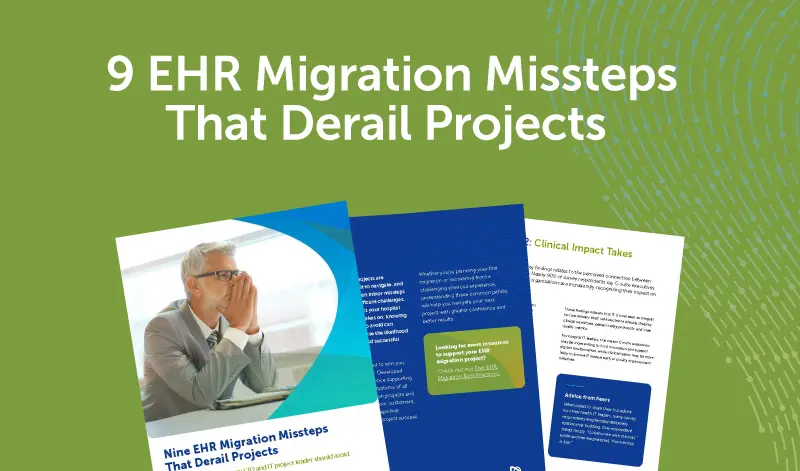
9 Migration Missteps and How to Solve Them

EHR migration projects are extremely difficult to navigate, and unfortunately, even minor missteps can result in significant challenges. As with any project your hospital or health system takes on, knowing the key mistakes to avoid can significantly increase the likelihood of a streamlined and successful initiative.

This guide is designed to arm you with that knowledge. Developed based on our experience supporting hospitals and health systems of all sizes through migration projects and input from several of our customers, it identifies nine missteps that consistently threaten project success.

Whether you’re planning your first migration or recovering from a challenging previous experience, understanding these common pitfalls will help you navigate your next project with greater confidence and better results.

Looking for more resources to support your EHR migration project? Check out our Five EHR Migration Best Practices.

Misstep #1: The Late Engagement Trap

Migration projects fueled by EHR transitions have many moving parts, and project leaders sometimes kick off with their go-forward EHR vendor before consulting a migration partner. However, not involving a migration partner early often contributes to unrealistic timelines and unnecessary delays later.

Recommended Approach: Have an initial consultation with your migration partner before your EHR implementation planning begins. Your migration partner will help formulate a more comprehensive and detailed project timeline that aligns with your unique challenges, opportunities, legacy EHR(s) and other systems, and go-forward system.

Key Benefits:

  • Avoid setting yourself up for unrealistic deadlines or resource crunches
  • Identify internal and external staffing needs before they become bottlenecks
  • Complete time-sensitive activities before they cause project delays  
  • Ensure data availability and any source vendor data requirements or nuances

Starting your EHR project without migration expertise is like diagnosing a patient without reviewing their medical history. You’re going to miss essential information required for an optimal outcome.

Jim Hammer, PMP, FACHDM Senior Partner and Chief Operating Officer, Harmony Healthcare IT

    Misstep #2: The Cross-Department Blind Spot

    Time and resources are strained at most hospitals and health systems, so everyone is searching for ways to streamline processes. Still, it’s critical to involve cross-department leaders in project planning. In fact, not involving these individuals can lead to significant blind spots that contribute to unexpected issues, changes, or additional scope throughout your project.

    Recommended Approach: Form a cross-department migration team and begin meeting with them regularly before your project begins. This will result in a more comprehensive project plan, more proactive resource planning, and greater buy-in across departments.

    Key Benefits:

    • Incorporate each department’s unique challenges, requirements, and specifications into your migration plan 
    • Understand which staff members will be needed when, preventing last-minute scrambling
    • Ensure department owners feel heard, involved, and engaged

    The most successful migrations are achieved when stakeholders actively contribute to designing the plan, rather than simply executing it.

    Amanda Mais, FACHDM Vice President of Data Integration, Harmony Healthcare IT

    Misstep #3: The Data Governance Team Disconnect

    Most hospitals and health systems already have a data governance team in place — typically tasked with crafting organization-wide data policies, security requirements, and compliance standards. Still, some project leaders underestimate how critical early input from this team is to overall migration project success. When data governance teams are brought in late to projects and feel like secondary participants that often leads to slower question resolution and project delays.

    Recommended Approach: As soon as your organization begins considering a migration project, set up a dedicated meeting with your data governance team. Ask them to share their preferred partnership strategies and recommended best practices. The team will appreciate your forethought and consideration, which will help foster strong engagement throughout the initiative.

    Key Benefits:

    • Get faster responses to unexpected data anomalies that emerge during analysis
    • Make more informed decisions regarding aligning data needs and workflows across care settings 
    • Ensure all data-related processes meet your organization’s internal standards

    Data governance isn’t just about policies — it’s about having the right people ready to make critical decisions quickly. Without a highly engaged team, every data question can become a project delay.

    Laurie Seall VP of Operations, Harmony Healthcare IT

    Misstep #4: The Archive Afterthought

    The top priority during migration projects is efficiently and securely migrating data to the go-forward EHR. But project leaders sometimes become so focused on migration that they overlook key decision-making related to data archiving. Failing to craft a strong data archiving strategy at the outset can lead to decreased user confidence, an incomplete and less intuitive data experience, and project inefficiencies.

    Recommended Approach: Develop your legacy data archiving strategy at the same time you develop your data migration plan. This will support more proactive and informed discussions related to your archiving approach. Working with a migration partner that also specializes in legacy data archiving will help ensure optimal decision-making throughout your project.

    Key Benefits:

    • Streamline workflows by aligning data analysis, decisions, and planning across both initiatives 
    • Ensure regulatory compliance while maintaining efficient access to historical records
    • Enhance user confidence through clear communication about data availability and archive access 

    When any hospital makes the decision to move forward with a new EHR, the discussion around what data will be converted versus what needs to be archived must be at the forefront of decision-making.

    Scott Smiser, FACHE, FHIMSS, CHCIO Healthcare IT Consultant

    Misstep #5: The Scope Evaluation Trap

    The migration and archiving vendor market has expanded significantly, giving organizations multiple partners and approaches to consider — each with different levels of comprehensiveness, maturity, and expertise. While some vendors offer accelerated approaches, they may exclude certain data types, such as treating unstructured documents like scans and images as a different workstream. More limited approaches may even result in lost data that can never be recovered.

    Recommended Approach:

    Look for a partner that can help you identify the best approach for your unique needs. If one vendor’s timeline is significantly shorter than others, ask how they achieve those results and what trade-offs are involved.

    Key Benefits:

    • Find a partner that provides realistic project timelines and costs  
    • Benefit from comprehensive approach that meets your unique needs   
    • Avoid hidden fees and timeline delays  

    Look under the hood when evaluating partners. Some overpromise on capabilities and timelines, while others present quotes with hidden fees that surprise you later. It’s a good sign when a potential partner is asking you lots of questions during initial meetings — that means they’re considering all factors to give you a comprehensive project estimate.

    David Winn, MBA, CHCIO, RHIA Vice President of Information Services, Parkview Health

    Misstep #6: The Internal Resource Surprise

    Migration projects impact multiple departments beyond IT — including clinical, HIM, legal, and compliance. Missteps in communicating resource needs and timing to these departments often lead to project delays because critical staff are unavailable during key phases.

    Recommended Approach: Map out your internal staffing resource needs by project phase and department. Then, communicate those requirements to department leaders well in advance. Also, regularly update them throughout the project regarding upcoming needs.

    Key Benefits:

    • Ensure milestones are completed on schedule 
    • Enable department leaders to plan more proactively around migration needs 
    • Foster more project buy-in among department leaders and their teams  

    When you give department leaders weeks or months of notice about their or their team members’ involvement, they can plan accordingly. When you give them days, they have to scramble.

    Laurie Seall VP of Operations, Harmony Healthcare IT

    Misstep #7: The Skills Shortage Gamble

    Many organizations underestimate the specialized skills and bandwidth required for successful EHR migrations. Failing to adequately plan for external resource needs and support, however, often results in project delays and quality issues.

    Recommended Approach: Work with your migration partner to identify all required skills and specialized roles needed. Then, ask for their recommendations regarding how to fill any internal gaps with external expertise.

    Key Benefits:

    • Avoid delays caused by learning curves or resource bottlenecks  
    • Access specialized expertise that may not exist internally, 
    • Allow internal teams to concentrate more on their core responsibilities

    There has definitely been a shift to single sourcing migration and data archive partners vs. using internal or labor augmentation for migration separate to archive. This makes complete sense as there is definitely efficiency gained in selecting a single partner who becomes knowledgeable about the systems and data to be migrated and ultimately decommissioned post archival.

    Jim Hammer, PMP, FACHDM Senior Partner and Chief Operating Officer, Harmony Healthcare IT

    Misstep #8: The External Hosting Slowdown

    Many organizations opt to have their migration partner host the data conversion working environment externally within their partner’s own infrastructure. This approach, however, often results in longer project timelines due to data transfer delays and system compatibility issues.

    Recommended Approach: Set up the migration data conversion working environment within your own infrastructure as close to your production infrastructure as possible. An effective migration partner can work with you to ensure proper setup and configuration so that everything goes smoothly.

    Key Benefits:

    • Eliminate data transfer delays between external systems 
    • Work directly within your network environment for optimal compatibility and performance 
    • Maintain greater control over your data throughout the conversion process

    Every data transfer introduces incremental time, which accumulates significantly in later migration rounds as data volumes grow or files require adjustments. Streamlining the process by removing extra steps is essential for maintaining speed and efficiency.

    Amanda Mais, FACHDM Vice President of Data Integration, Harmony Healthcare IT

    Misstep #9: The Blindsided Leadership Problem

    Migration projects follow predictable patterns, with certain phases consistently presenting greater difficulties than others. Not preparing stakeholders for these more challenging project phases — ahead of time — often results in unnecessary anxiety and resistance when issues arise.

    Recommended Approach: Work with your migration partner to identify which project phases are most likely to generate complications, then proactively communicate these expectations to key stakeholders.

    Key Benefits:

    • Ensure temporary setbacks are seen as normal parts of the process 
    • Keep leadership calm and informed during more challenging phases 
    • Approach challenges constructively rather than reactively 

    Small-scale or initial testing almost always presents technical opportunities during migration projects to learn and adapt from. When stakeholders know this upfront, they see problems as expected challenges rather than failures.

    Jim Hammer, PMP, FACHDM Senior Partner and Chief Operating Officer, Harmony Healthcare IT

    Ready to Avoid These Migration Missteps?

    Whether you’re in the early planning stages of an EHR migration or need support with a project already underway, our team has the experience to help you sidestep these common pitfalls and ensure your project goes smoothly from start to finish.

    Contact us today to discuss your migration needs and learn how our expertise can help ensure your project achieves the outcomes your organization deserves.

    FAQs

    How early should we engage a migration partner in our EHR project?

    Ideally, you should consult with a migration partner during your EHR vendor selection process, not after. This allows them to help shape realistic timelines and identify potential challenges before contracts are signed.

    What's the biggest difference between archiving and migrating data?

    Migration moves data into your new EHR system where it’s actively accessible, while archiving stores data in a separate system for compliance and reference purposes. Archiving is typically faster and less complex than full conversion and migration.

    How do we know if a migration vendor is making unrealistic promises?

    Be suspicious of vendors whose timelines are significantly shorter than others or who claim they can complete everything by go-live. Ask specific questions about unstructured document handling and comprehensive backup procedures.

    Which departments should be involved in migration planning beyond IT?

    Include clinical leadership, Health Information Management (HIM), legal, compliance, finance, and any departments that heavily rely on specific data workflows. Each brings unique requirements that impact project success.

    Should we host the migration environment internally or externally?

    Internal hosting typically provides better performance and faster data transfers, reducing overall project timelines. However, it requires adequate infrastructure and technical resources to set up properly.

    What's the most challenging phase of a typical migration project?

    Small-scale testing consistently presents technical hurdles because it’s the first-time converted data is tested in real-world scenarios. Preparing stakeholders for this challenging phase prevents unnecessary concern.

    How much external expertise do we typically need for a migration project?

    This varies by organization size and internal capabilities, but most projects require specialized skills in data mapping, conversion programming, and testing that don’t typically exist internally. Your migration partner can help assess your specific needs.

    What happens if we don't involve our data governance team early enough?

    Late engagement typically results in slower decision-making, potential rework to meet compliance standards, and frustrated team members who feel excluded from important decisions. Early involvement prevents these issues and accelerates project timelines.

    Healthcare IT tips, guides, news & more delivered to your inbox

    Learn More

    Summary

    Introduction Healthcare is entering a period of significant system transition, with nearly 4 in 10 hospital IT leaders reporting that their hospitals are planning an EHR migration project in 2026. That’s according to a late 2025 survey of 21 CHIME members. EHR migrations represent some of the highest-stakes projects hospital IT leaders undertake. Done well,...

    Join Fellow Healthcare IT Pros

    Tips, Guides, News & More

    Sign Me Up
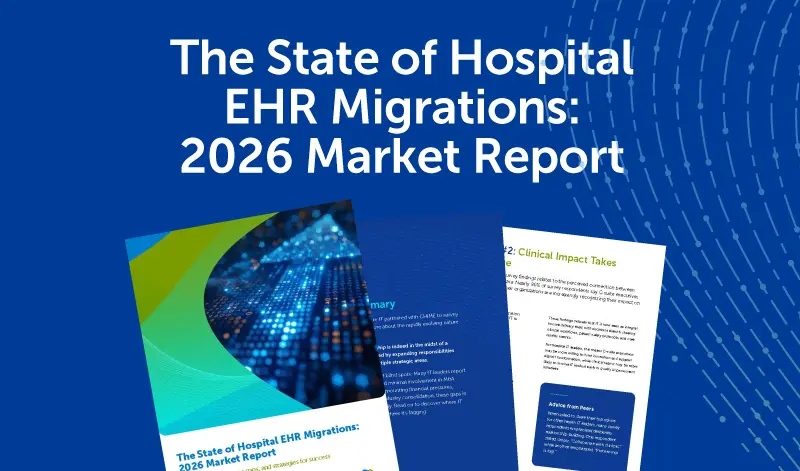
    2026 Hospital EHR Migration Report

    Introduction

    Healthcare is entering a period of significant system transition, with nearly 4 in 10 hospital IT leaders reporting that their hospitals are planning an EHR migration project in 2026. That’s according to a late 2025 survey of 21 CHIME members.

    EHR migrations represent some of the highest-stakes projects hospital IT leaders undertake. Done well, they can improve clinical workflows, enhance data accessibility, and increase efficiencies. Done poorly, they can result in cost overruns, data loss, compliance problems, and patient safety risks.

    The survey findings suggest that while hospital IT leaders understand what’s at stake, many are heading into these projects with concerning gaps in confidence and preparation.

    Read on to learn what’s driving EHR migration activity, where confidence gaps exist, and how hospital IT leaders can ensure successful transitions.

    Key Findings

    Migration Activity

    62% of all respondents cite EHR implementations, conversions, and migrations as one of their top 3 data management priorities in 2026.

    Nearly 40% of hospital IT leaders are planning an EHR migration project in 2026. Another 24% are planning one in 2027.

    Confidence Gaps

    Only 57% are confident they can complete projects on budget.

    Only 48% are confident they can complete projects without major problems.

    Top 3 Project Concerns

    #1. Cost
    #2. Staff resources
    #3. Data integrity/loss

    Methodology

    The survey of 21 CHIME members took place in October and November 2025. Respondents included CIOs, CTOs, CISOs, and other IT leaders from academic medical centers, integrated delivery networks, community hospitals, and health systems ranging from under $500M to over $10B in annual net patient revenue.

    Migration Activity and Drivers

    Nearly 40% of hospital IT leaders are planning EHR migration projects in 2026, and of those, about half anticipate their initiative will begin in the first half of the year.

    When will your next EHR migration/transition project occur?

    • In the first six months of 2026: 19%
    • In the final six months of 2026: 19% 
    • In 2027: 24%
    • In 2028: 10%
    • After 2028: 29%

    What do you think will most drive the need for that project?

    • Merger and/or acquisition: 38%  
    • New EHR implementation: 33% 
    • Other: 29%  

    Other responses included system optimization and related enterprise software initiatives.

    Overall, 62% of all respondents cite EHR implementations, conversions, and migrations as one of their top 3 data management priorities in 2026 — reflecting not just the 38% actively executing projects this year, but also the 24% planning for 2027 migrations.

    Peer Insights

    When asked to share their top migration project advice with peers, many survey respondents offered feedback that underscores the importance of thorough and early planning. One counseled: “Plan early. Make sure you optimize timelines.” Another emphasized: “Bring all stakeholders to the table as soon as possible to identify risks and objectives.”

    Where Confidence Falls Short

    Hospital IT leaders express reasonable confidence in their ability to meet migration timelines, but that confidence erodes when asked about budgets and avoiding major problems.

    How confident are you that you can complete migration projects ….

    On-time:

    • Highly confident: 71%
    • Somewhat confident: 24%
    • Not at all confident: 5%

    On-budget:

    • Highly confident: 57%
    • Somewhat confident: 33%
    • Not at all confident: 10%

    Without major problems:

    • Highly confident: 48%
    • Somewhat confident: 38%
    • Not at all confident: 14%

    Only 48% are highly confident they can complete migrations without encountering problems such as unexpected downtime, data loss, or compliance issues — meaning most hospital IT leaders are heading into high-stakes projects expecting significant challenges.

    The budget confidence gap is also concerning, with only 57% highly confident they can stay on-budget. That’s particularly notable given that 81% report their budgets for health data management initiatives have increased over the past three years. The persistent budget concerns, even amid increased investment, reflect the escalating complexity of EHR migrations and the specialized expertise they require.

    Peer Insights

    Hospital IT leaders stressed the importance of careful migration partner selection. One survey respondent advised: “Get an experienced partner.” Another was more specific: “Grill the vendor on their migration processes and experiences.”

    81% of hospital IT leaders report their budgets for health data management initiatives—including data consolidation, migration, and archiving projects — have increased over the past three years, with one-third reporting significant increases of more than 10%.

    Cost, Resource, and Integrity Concerns

    When hospital IT leaders identify their top concerns about migration projects, three challenges dominate: cost, staff resources, and data integrity.

    What are your top 3 migration project concerns?

    • Cost: 100%
    • Staff resources: 86%
    • Data integrity/loss: 62%
    • Downtime: 33%
    • Compliance: 19%

    Every hospital IT leader surveyed cited cost as one of their top 3 concerns. Costs tend to spiral for reasons that include unexpected vendor fees for additional work or services, increased internal resource demands, and delays that prevent timely legacy system decommissioning.

    Staff resource concerns, cited by 86% of respondents, rank nearly as high. Migration projects require support from not just IT, but from clinical, HIM, legal, and compliance teams, all while these individuals manage their day-to-day workloads.

    Data integrity and loss concerns, cited by 62% of respondents, reflect the high-stakes nature of these projects. Incomplete or inaccurate data migrations can create confusion, inefficiencies, and jeopardize patient care.

    Peer Insights

    Survey respondents emphasized the critical role of strong organizational structure in addressing cost, resource, and data integrity concerns. One stated: “Ensure you have multidisciplinary project teams with tight governance structure.” Another advised: “Gain executive support, identify your organizational owners, and assist them with execution.”

    57% of hospital IT leaders say their organization is increasing spend on EHR-focused projects, such as implementations, migrations, and upgrades, in 2026.

    How to Navigate the Top Migration Challenges

    The survey reveals where hospital IT leaders face the greatest challenges during migration projects. Based on these findings, here are four strategies to enhance confidence and address the most common concerns:

    Partner Right to Stay on Budget

    If you’re among the 100% of hospital IT leaders with cost as a top concern: Seek out an experienced migration partner that can provide realistic cost expectations based on your unique needs and circumstances. When evaluating potential partners, ask about their approach to scope management and how they prevent unexpected costs from emerging later in the project. Also ask references if and why they experienced any unexpected costs during their projects.

    Plan Ahead to Address Resource Constraints

    If you’re among the 86% concerned about staff resources, work with your migration partner to create detailed documentation of internal and external resources required during each phase of your project. Once that information is compiled, discuss external resource needs with your migration partner and provide regular updates to department leaders to help them plan internal resources around competing demands.

    Prioritize Partners That Ensure Data Quality

    If you’re among the 62% with data integrity concerns, prioritize partners that can provide detailed information on their data integrity strategies. Ensure the partner has deep experience with your specific source and go-forward EHRs, follows proven validation processes, and provides transparency into data quality issues if they emerge.

    Engage Migration Partners Early

    If you’re among the 52% who aren’t highly confident about avoiding major problems, consult with a migration partner as early as possible. Early partner engagement helps identify time-sensitive activities — like vendor data release requests that can take months to fulfill — before they become project delays. Experienced partners can also help you communicate more effectively with stakeholders about upcoming challenging phases, maintaining confidence and buy-in throughout the project.

    Looking for more guidance on EHR migrations? Read our new report: EHR Migration Best Practices: 5 Proven Strategies to Complete Your Project On-Time and On-Budget.

    About Harmony Healthcare IT

    Harmony Healthcare IT is a data management firm that transforms critical data into secure, compliant, and accessible assets — whether that is converting data to a new platform or securing it in an archive. Since 2006, we have worked with over 700 healthcare software platforms across clinical, financial, and administrative systems. Our commitment to reliability and innovation empowers healthcare organizations to manage their data with confidence.

    Healthcare IT tips, guides, news & more delivered to your inbox

    Learn More

    Summary

    Introduction: Hospitals and health systems are increasingly moving to decommission legacy systems and archive decades of historical data. A recent survey of CHIME members found that 43% say their organization will undertake a legacy data archiving project in 2026 — with projects often driven by cost reduction pressures, security concerns, and the need to optimize...

    Join Fellow Healthcare IT Pros

    Tips, Guides, News & More

    Sign Me Up
    The MEDITECH legacy archival playbook

    Introduction:

    Hospitals and health systems are increasingly moving to decommission legacy systems and archive decades of historical data. A recent survey of CHIME members found that 43% say their organization will undertake a legacy data archiving project in 2026 — with projects often driven by cost reduction pressures, security concerns, and the need to optimize IT resources.

    For organizations planning to archive data from MEDITECH legacy systems, these archiving initiatives present unique complexities. MEDITECH’s proprietary architecture, decades of version evolution, and extensive customization capabilities — particularly in older MEDITECH platforms — require specialized expertise spanning both extraction and archiving processes.

    This report outlines five critical considerations for hospitals planning MEDITECH archiving projects — insights that will help you avoid common pitfalls and position your project for success.

    Insights Grounded in MEDITECH Expertise

    This report draws on perspectives from extraction, conversion, and archiving specialists at Harmony Healthcare IT and Blue Elm, a Harmony Healthcare IT company that specializes in MEDITECH data solutions. The combined expertise offers readers a comprehensive view of MEDITECH data extraction challenges and healthcare archiving best practices. 

    Referenced survey data come from a survey of CHIME members commissioned by Harmony Healthcare IT and conducted independently by CHIME in November 2025.

    Consideration #1: Proprietary Architecture

    The proprietary nature of MEDITECH systems makes data extraction fundamentally different from other EHR platforms, in which data access is more open. Older MEDITECH versions in particular (MAGIC and Client/Server) have a hierarchical data structure.

    “MEDITECH systems are built differently than other EHRs,” explains John Mackey, Founder and President of Blue Elm, a Harmony Healthcare IT Company. “The proprietary data structures and hierarchical organization mean you can’t use standard extraction approaches that work with other platforms.”

    This affects every aspect of a MEDITECH data archiving project, from extraction to conversion to archiving. Organizations that underestimate this fundamental difference often experience repeated extraction failures and delays before recognizing the need for a specialized partner.

    Many organizations have reached out to us after spending months struggling to extract data because they didn’t partner with specialists with the necessary depth of MEDITECH knowledge and specialized extraction tools.

    Brian Liddell President and CFO, Harmony Healthcare IT

    Consideration #2: Hidden Data Complexity

    Extracting data for archival purposes is challenging enough on its own, but the scope of data involved in these projects makes it even more complex. In many cases, MEDITECH migrations include decades of data accumulated across multiple versions, such as Client/Server, MAGIC, 6.x, and Expanse. Organizations must also account for archival packs, archived data and reports, and even data stored on optical disks.

    “Many MEDITECH hospitals have 20 to 30-plus years of data spanning multiple versions,” says Alex Walker, VP of Development at Blue Elm. “Hospitals often underestimate the technical challenge involved in extracting data cleanly from these systems. All of this needs to be extracted and converted into a consistent format within the legacy data archive.”

    Another hidden data complexity involves the archiving of data from ancillary systems that interface with MEDITECH, such as LSS, PTCT, and Picis, and OnBase, says Jennifer Fortin, EVP of Business Development at Blue Elm. “End users see the data as MEDITECH data, but behind the scenes, our extraction pulls from a variety of areas.”

    When you’re archiving data from MEDITECH systems that have been in place for decades, legacy storage formats like tape can be part of that landscape. Our team specializes in understanding, extracting and preserving MEDITECH data to ensure access and compliance.

    Amanda Mais, FACHDM VP of Data Integration, Harmony Healthcare IT

    Consideration #3: Unstructured Content 

    A major data complexity in MEDITECH platforms is the sheer volume of unstructured content — things like free-text documentation, clinical reports, and scanned documents. These require specialized handling during extractions and conversions.

    “There’s structured information like a patient’s name or field data, but there’s also a lot of unstructured information like free text in reports,” Walker explains. “Being able to navigate that and make it useful is extremely important during these projects.”

    MEDITECH-specific document types — such as those stored in MEDITECH Text and Document (MTDD) or MEDITECH Text Archive (MTA) formats — require particular expertise, says Amanda Mais, FACHDM, VP of Data Integration at Harmony Healthcare IT.

    “These formats combine scanned content with text-based documentation in ways that are unique to MEDITECH environments,” she explains. “With MEDITECH’s unique document formats, you need experts who understand exactly how to extract and preserve that content.”

    Our goal is to preserve the look and feel of unstructured content so archive users see it as it appeared in the native MEDITECH system. If a lab tech is looking at an inquiry report, the content and layout should closely match the MEDITECH output.

    Alex Walker VP of Development, Blue Elm

    Case Study: Magnolia Regional Health Center

    When Magnolia Regional Health Center in Mississippi upgraded from MEDITECH MAGIC to 6.1, it faced more than 20 years of legacy data across multiple MEDITECH versions, eight legacy applications, and 350,000+ patient records.

    The organization partnered with Harmony Healthcare IT to implement an active archive solution providing patient-centric access with single sign-on from its current MEDITECH system. The solution also included A/R wind-down capabilities, eliminating manual data entry for legacy financial records.

    “Harmony’s project management methodology is stellar in the industry,” said Brian Davis, Magnolia Regional Health Center’s CIO. “The team is knowledgeable and passionate about what they do.”

    Consideration #4: Customization Management

    Beyond the challenges of proprietary architecture, version evolution, and unstructured content, there’s another hurdle: customization. MEDITECH systems, particularly older versions, are highly customizable in terms of workflows, clinical documentation, and data structures. While this flexibility benefits system users, it complicates extraction and archiving projects.

    “Organizations can really tailor the types of workflows within Meditech — everything from lab ordering processes to radiology exam impressions,” says Walker. “All of that needs to be accounted for when extracting and converting to an archive.”

    The Harmony Healthcare IT and Blue Elm teams have encountered creative examples of this customization challenge. In one case, a hospital had repurposed a field in a patient listing screen to track whether patients had a knee replacement or other device implant. The field’s original purpose had nothing to do with medical devices, but staff had developed a workaround to ensure this information could be captured and viewed in patient encounters.

    “Depending on the amount of customization applied within the legacy system, extraction and archiving efforts may require additional requirements gathering, development work, and validation,” says Mais. “This ensures custom workflows and data structures are properly captured and represented in the archive.”

    We often say, ‘If you’ve seen one MEDITECH hospital, you’ve seen one MEDITECH hospital.’ We find something different in every system.

    Jennifer Fortin EVP Business Development, Blue Elm

    Consideration #5: Institutional Knowledge

    One key consideration when embarking on MEDITECH archiving projects is the amount of institutional knowledge regarding how the system was configured, customized, and is currently used. As systems age and staff turnover, the team members familiar with these topics often leave or retire, taking that critical knowledge with them. This is especially problematic for systems that haven’t been actively used in years.

    “There’s often the question of how people are actually using the MEDITECH system today,” says Walker. “It may end up being just one person in the medical records department, for example, who knows how to log into the system and knows the five things they do with it. The broader institutional knowledge becomes lost.”

    To address this challenge, archiving project leaders should combine whatever internal knowledge remains with deep system expertise from a highly experienced archiving partner. Those combined insights can then help determine the optimal archiving approach.

    “Gather any internal subject matter experts or institutional knowledge, and then provide system access to your archiving partner,” Mais recommends. “Your archiving partner’s specialists will have extensive experience navigating these systems and can investigate to understand what data exists, where it exists, and what other systems are connected.”

    CIOs or CFOs may see the line item for what they’re paying for the legacy system, and they may see the security risk of keeping it around, but they may not fully understand the implications of offlining that system — including who’s using it and in what capacities.

    Alex Walker VP of Development, Blue Elm

    Positioning Your Hospital for Success

    Archiving legacy data from MEDITECH systems presents unique complexities that require specialized expertise and careful planning. Organizations that approach these initiatives with a clear understanding of these needs, and that partner with vendors with proven experience, are much more likely to experience a streamlined project.

    The most effective MEDITECH extraction and archiving partners offer end-to-end services, from initial assessment and extraction through conversion, archive implementation, and legacy system decommissioning. This comprehensive approach ensures continuity and accountability throughout the initiative.

    “One of the biggest advantages of working with a partner experienced in both MEDITECH extraction and archiving is the seamless handoff between project phases,” explains Liddell. “When the same team understands both your source system and your archive requirements, you avoid errors and delays that can occur when working with multiple vendors.”

    Ready to discuss your MEDITECH archiving project? Contact Harmony Healthcare IT  today to learn how our expertise in MEDITECH extraction, conversions, and archiving can help your organization achieve a successful transition.

    Eight Key Questions to Ask When Evaluating Vendors

    1. How many MEDITECH archiving projects have you completed across different versions?
    2. What extraction methodology do you use — proprietary tools, manual reporting, or RPA?
    3. Do you extract directly from transactional environments or rely solely on the data repository?
    4. How will users access archived MEDITECH data from our current EHR?
    5. What is your approach to data validation and ensuring extraction quality?
    6. How do you manage system resources during extraction to avoid disrupting operations?
    7. Can you provide references from organizations with similar MEDITECH environments?
    8. What is your typical timeline for a MEDITECH archiving project of this size and complexity?

    Survey Snapshot: The Growing Case for Legacy Data Archiving

    The benefits of a well-executed MEDITECH archiving project extend far beyond compliance and cost savings. Organizations gain improved data accessibility, reduced IT maintenance burden, and the ability to fully decommission legacy systems with confidence. A Q4 2025 survey of 21 CHIME members underscores the growing recognition of legacy data archiving’s value:

    When do you anticipate your next legacy data archiving project will take place?

    In 2026: 43%
    In 2027: 14%
    In 2028: 10%
    After 2028: 33%

    Does decommissioning legacy applications represent a cost savings opportunity for hospitals and health systems?

    Yes – Significant or some cost savings opportunity: 19%
    Yes – Some savings opportunity: 52%
    Yes – Minimal savings opportunity: 10%
    No – No savings opportunity: 19%

    What are the top factors driving your legacy data archiving decisions?

    Cost reduction efforts: 67%
    Data access and interoperability concerns: 57%
    Security concerns: 52%
    IT labor burden concerns: 52%
    Compliance concerns: 43%
    Inefficient release of information processes: 29%

    Source: Q4 2025 Survey of 21 CHIME members commissioned by Harmony Healthcare IT and conducted independently by CHIME.

    FAQS

    Why is MEDITECH data archiving more complex than other EHR archiving projects?

    MEDITECH data archiving is more complex because MEDITECH uses a proprietary architecture with hierarchical data structures that require specialized extraction tools and expertise. Unlike more open EHR platforms, MEDITECH’s unique data formats, particularly in older versions like MAGIC and Client/Server, demand partners who understand the system’s intricacies at a technical level. Standard extraction approaches that work with other EHR systems cannot be used for MEDITECH environments.

    How long does a MEDITECH archiving project take?

    MEDITECH archiving project timelines vary significantly based on data volume, number of MEDITECH versions involved, level of customization, and ancillary systems that need to be addressed. Organizations with 20-30+ years of data across multiple MEDITECH versions should expect longer timelines.

    What should I look for in a MEDITECH archiving partner?

    When selecting a MEDITECH archiving partner, look for proprietary extraction tools (not RPA), production environment extraction capabilities, comprehensive understanding of MEDITECH-specific data types (including MTDD and MTA formats), user-friendly archive access with role-based permissions, and integrated archive capabilities with single sign-on (SSO) and EHR integration. Partners should have extensive experience across multiple MEDITECH versions and ideally include former MEDITECH employees on their team.

    Can users access archived MEDITECH data from a new EHR system?

    Yes, users can access archived MEDITECH data from a new EHR system with the right archive solution. Look for vendors that offer single sign-on (SSO) capabilities and direct integration with your current EHR (such as Epic or Cerner), allowing clinicians to access historical MEDITECH data with a single click from within their current workflow. This integration transforms the archive from a compliance obligation into a valuable clinical tool.

    What are MTDD and MTA files in MEDITECH?

    MTDD (MEDITECH Text and Document) and MTA (MEDITECH Text Archive) are MEDITECH-specific document formats that combine scanned content with text-based documentation in ways unique to MEDITECH environments. These formats require specialized expertise to extract and preserve properly, as they don’t exist in other EHR systems. Without proper handling, organizations risk losing access to decades of scanned records and clinical documentation.

    Should MEDITECH data be extracted from production or the data repository?

    MEDITECH data should be extracted directly from production environments rather than relying solely on the MEDITECH data repository (DR). Production environment extraction ensures complete data capture, including information that may not exist in the DR. This approach is considered the most effective extraction methodology by MEDITECH specialists.

    What is the difference between proprietary extraction tools and RPA for MEDITECH?

    Proprietary extraction tools are specifically developed software designed for MEDITECH environments, offering efficient and accurate data extraction with minimal infrastructure requirements. RPA (robotic process automation) approaches typically involve screen scraping or mimicking user actions, which are more error-prone, time-consuming, require more infrastructure, and increase the chance of incomplete extractions. MEDITECH archiving specialists recommend proprietary tools over RPA.

    How much money can hospitals save by decommissioning legacy MEDITECH systems?

    Hospitals can save significantly by decommissioning legacy MEDITECH systems through reduced ongoing maintenance fees, server infrastructure costs, IT support resources, and security management expenses. According to a November 2025 survey of hospital CIOs, 65% view decommissioning legacy applications as a cost savings opportunity, up from 58% in 2023. The exact savings vary by organization based on system complexity and age.

    Healthcare IT tips, guides, news & more delivered to your inbox

    Learn More

    Summary

    Executive Summary In late 2025, Harmony Healthcare IT partnered with CHIME to survey 21 hospital IT leaders to learn more about the rapidly evolving nature of their role. The findings? Hospital IT leadership is indeed in the midst of a significant transformation, marked by expanding responsibilities and surging influence across multiple strategic areas. But the...

    Join Fellow Healthcare IT Pros

    Tips, Guides, News & More

    Sign Me Up
    Health IT Leaders Take The Helm Report

    Executive Summary

    In late 2025, Harmony Healthcare IT partnered with CHIME to survey 21 hospital IT leaders to learn more about the rapidly evolving nature of their role.

    The findings? Hospital IT leadership is indeed in the midst of a significant transformation, marked by expanding responsibilities and surging influence across multiple strategic areas.

    But the survey also revealed critical blind spots: Many IT leaders report limited collaboration with CFOs and minimal involvement in M&A decision-making. As hospitals face mounting financial pressures, regulatory changes, and ongoing industry consolidation, these gaps in IT leader involvement could be costly.

    Read on to discover where IT influence is gaining ground — and where it’s lagging.

    Key Findings

    Role Expansions

    81% report they are becoming more involved in strategic business decisions.

    86% say clinical teams increasingly see the as a strategic partner in ensuring optimal patient care.

    62% say their responsibilities are expanding beyond traditional IT functions.

    90% say their decision making related to health data management plays a significant role in ensuring optimal patient care.

    Room for Growth

    Only 33% report they are experiencing more collaboration with the CFO.

    Only 10% report they are becoming more involved in M&A activities.

    Methodology

    The survey of 21 CHIME members took place in October and November 2025. Respondents included CIOs, CTOs, CISOs, and other IT leaders from academic medical centers, integrated delivery networks, community hospitals, and health systems ranging from under $500M to over $10B in annual net patient revenue.

    Takeaway #1: A Larger Voice at the C-suite Table

    The data confirms what many have observed anecdotally: Hospital IT leadership is changing and expanding — with a significant shift in role occurring in the past three years alone.

    When asked how their role has evolved over the past three years, 8 in 10 reported greater involvement in strategic business decisions and nearly 7 in 10 reported greater emphasis on innovation and transformation. More than half said their responsibilities have expanded beyond traditional IT functions.

    How has your role evolved over the past 3 years?

    • Greater involvement in strategic business decisions: 81% 
    • Greater emphasis on innovation and transformation leadership: 67% 
    • Expanded responsibility beyond traditional IT functions: 62% 

    What’s driving these shifts? Several forces are at play, including growing demand for sophisticated analytics, the maturation of healthcare data as a strategic asset, and the understanding that competitive advantage increasingly flows from digital capabilities. As a result, organizations are increasingly bringing IT leadership to the table for strategic decisions that have become too consequential to make without their input.

    Advice from Peers

    While this expanded influence brings new opportunities to hospital IT leaders, it also creates new pressures. As one survey respondent noted when asked to share their top advice for peers: “Ensure your voice is heard!” In the year ahead, hospital IT leaders should continue to focus on actively asserting their perspective and advocating for IT’s central role in organizational success.

    Takeaway #2: Clinical Impact Takes Center Stage

    One of the most striking survey findings relates to the perceived connection between IT leadership and patient care. Nearly 90% of survey respondents say C-suite executives and clinical teams within their organizations are increasingly recognizing their impact on patient care.

    Do C-suite leaders increasingly recognize the role of IT in clinical outcomes?

    86% Yes

    14% No

    Do clinical teams increasingly see IT as a strategic partner in ensuring optimal patient care?

    86% Yes

    14% No

    Can quality improvement initiatives succeed without direct CIO involvement and leadership?

    29% Yes

    71% No

    These findings indicate that IT is now seen as integral to care delivery itself, with decisions directly shaping clinical workflows, patient safety protocols, and care quality metrics.

    For hospital IT leaders, this means C-suite executives may be more willing to fund innovation and support digital transformation, while clinical teams may be more likely to involve IT leaders early in quality improvement initiatives.

    Advice from Peers

    When asked to share their top advice for peers, many survey respondents emphasized deliberate relationship-building. One respondent stated simply, “Collaborate with clinical,” while another emphasized, “Partnership is key.” 

    Top 2026 Investment and Budget Priorities

    As hospital IT leaders expand their influence, where are they directing resources? The survey reveals spending priorities that align with industry changes: investments in AI and automation, cybersecurity protection, and data management initiatives that support clinical care and operational efficiency. 

    In which of the following areas do you anticipate your organization will increase IT spend in 2026? (respondents could select all that apply)​

    • AI/automation: 76% ​
    • EHR-focused projects (implementations/migrations): 57% ​
    • Cybersecurity: 52% ​
    • Legacy system consolidation/data archiving: 38% ​
    • Compliance: 10% ​

    What are your top data management priorities for 2026? (respondents could select top 3)​

    • Cybersecurity/compliance: 86% ​
    • Legacy system consolidation/data archiving: 71% ​
    • EHR implementation/conversions/migrations: 62% ​
    • Interoperability enhancements: 57%​
    • ERP implementation/conversions/migrations: 24% ​

    How has your IT budget for health data management initiatives (i.e., data consolidation, migration, and/or archiving projects) changed over the past 3 years?​

    • Significantly increased (more than 10%): 33% ​
    • Moderately increased (up to 10% increase): 48% ​
    • Somewhat decreased (up to 10% decrease): 10% ​
    • Significantly decreased (more than 10% decrease): 10%​

    Takeaway #3: IT Influence Lags in Two Key Areas

    Two survey findings stand out for their troubling implications: Hospital IT leaders report little momentum over the past three years when it comes to CFO collaboration and M&A input.

    In the past three years, have you experienced more collaboration with your CFO?

    Yes 33%

    No 67%

    In the past three years, have you experienced more involvement in M&A activities?

    Yes 10%

    No 90%

    Given IT’s critical role in revenue generation, cost optimization, and cybersecurity, the finding that only one-third of IT leaders report greater CFO collaboration represents a notable gap. Organizations with low collaboration might benefit from intentional relationship-building through regular joint planning sessions and shared KPIs.

    Perhaps more significant is the finding that only 10% report greater M&A involvement. While this may reflect limited M&A activity among respondents’ organizations, the low percentage suggests a broader pattern. If M&A activity picks up in 2026, organizations that don’t involve IT early could face significant challenges with EHR migrations, legacy system decommissioning, and data archiving.

    Advice from Peers

    Survey respondents emphasized the need for stronger C-suite partnerships and clearer communication of IT’s value. One counseled: “Partner with the CISO/CFO and executive team to educate them on the risk associated with not investing in IT and cybersecurity.” Another advised: “Help the organization embrace technology changes that actually have real ROI, and help key leaders take ownership in the outcomes.”

    The Path Forward

    The 2026 Hospital IT Pulse Report captures a profession undergoing significant evolution. The hospital IT role has evolved from technology enabler to strategic and clinical partner. The next step for many hospital IT leaders will be addressing key gaps, particularly when it comes to CFO collaboration and M&A activity involvement. Hospital IT leaders who strengthen these partnerships will be better positioned to drive both clinical excellence and operational performance within their organizations.

    About Harmony Healthcare IT

    Harmony Healthcare IT is a data management firm that transforms critical data into secure, compliant, and accessible assets — whether that is converting data to a new platform or securing it in an archive. Since 2006, we have worked with over 700 healthcare software platforms across clinical, financial, and administrative systems. Our commitment to reliability and innovation empowers healthcare organizations to manage their data with confidence.

    Healthcare IT tips, guides, news & more delivered to your inbox

    Learn More

    Summary

    Introduction: EHR data migration projects have become far more complex in recent years — with more data to migrate, more categories to manage, more interfaces to coordinate, and more interconnected systems to navigate. At the same time, migration project leaders face growing pressure from C-suite executives and EHR vendors to meet increasingly tight timelines. “CIOs...

    Join Fellow Healthcare IT Pros

    Tips, Guides, News & More

    Sign Me Up
    EHR Migration Best Practices

    Introduction:

    EHR data migration projects have become far more complex in recent years — with more data to migrate, more categories to manage, more interfaces to coordinate, and more interconnected systems to navigate. At the same time, migration project leaders face growing pressure from C-suite executives and EHR vendors to meet increasingly tight timelines.

    “CIOs and IT leaders face an extremely difficult dynamic,” says Jim Hammer, FACHDM, PMP, Chief Operating Officer at Harmony Healthcare IT. “Migration projects have always been challenging, but the pressure to deliver on time and on budget is greater than ever.”

    On the Line: Operational Challenges, Patient Care Disruptions, and Wasted Resources

    The stakes for EHR migration projects couldn’t be higher. Delayed or failed migrations can disrupt hospital operations and compromise patient care. They can also consume valuable resources that many organizations cannot afford to waste, particularly as concerns mount about the financial impact of the “One Big Beautiful Bill.” Read our new report to learn more about the federal legislation, how it could affect your hospital, and three actions IT leaders can take now to prepare.

    Best Practice #1: Capture Cross-Functional Input — From the Start

    EHR migration projects impact nearly every department in an organization — from legal and compliance to patient care and health information management (HIM). While most migration project leaders recognize the need for cross-department stakeholder involvement during certain phases of migration projects, the most successful migration leaders engage these individuals before their projects even begin.

    “Everyone is dealing with time and resource constraints,” says Amanda Mais, FACHDM, Vice President of Data Integration at Harmony Healthcare IT. “While it may be tempting to try not to ask too much of other department leaders, getting started without their input is likely to contribute to serious challenges later.”

    For this reason, she recommends forming a migration project team and meeting with them prior to project kickoff. Beyond the project leader and IT team members, this group should include representatives from the clinical, HIM, legal, compliance, billing, and finance departments. The team should also include an executive sponsor who can communicate goals, milestones, and challenges to other C-suite leaders throughout the project.

    Another group that’s crucial to involve at the outset is your organization’s data governance team. Most hospitals and health systems already have this team in place, but if not, it’s a good idea to form one, says Laurie Seall, VP of Operations at Harmony Healthcare IT. This team will be tasked with helping to ensure data integrity, security, risk management, and compliance throughout the project.

    “Your organization is likely to experience a more streamlined migration if a data governance team is engaged from the very beginning,” explains Seall. “Throughout the project, teams will face complex, clinically driven decisions such as aligning data needs and workflows across care settings and responding to unexpected data anomalies that emerge during analysis. A dedicated governance team ensures these challenges are addressed swiftly and accurately, helping to maintain project momentum and reduce the risk of delays.”

    During initial meetings with the migration project and the data governance teams, Mais recommends focusing on each department’s unique needs, concerns, and requirements, as this will help facilitate the creation of more comprehensive project timelines and plans.

    Another key task to tackle during the first few meetings? Mapping out the project phases and identifying the staffing resources needed. Completing this activity early will help support proactive resource planning, which will also help prevent unexpected project delays (see Best Practice #4 for more recommendations related to staffing resources).

    Once your project gets started, Mais recommends meeting regularly with the project and data governance teams to discuss progress, address challenges, and identify opportunities to streamline processes.

    Without Early Cross-Functional Team Involvement, Your Project Risks:

    • Underestimated timelines and budgets   
    • Overlooked specifications and requirements 
    • Misaligned expectations with executive leadership  
    • Poor stakeholder engagement and buy-in 
    • Staff resourcing challenges during critical phases

    Best Practice #2: Consult with a Migration Partner — As Early as Possible

    Just as early involvement from both a data governance and cross-functional project team will support a more streamlined migration, the same principle applies to engaging an EHR migration partner. In fact, even a brief consultation before your project gets underway can save substantial time, resources, and costly surprises down the road.

    “EHR migration projects are consistently underestimated in terms of time and resource requirements,” says Hammer, noting that many projects require many rounds of extractions with different patient subsets and configurations. “A lot needs to happen in parallel with a migration partner to successfully complete these projects, which is why engaging them early is so important.”

    Three key benefits of early engagement with a migration partner:

    1. More comprehensive planning and timeline management.

    Every EHR migration project is unique, posing distinct challenges and opportunities based on the specific legacy system or systems involved and the go-forward EHR. Document handling can be complex in many source applications, as content can be encrypted or proprietary at rest, and/or require conversion to another format to be ingested into the go-forward system.

    Partnering with an experienced migration partner early can ensure a comprehensive and strategic approach as well as more accurate timeline creation.

    1. Earlier identification of time-sensitive activities. 

    Time-sensitive tasks are inherent to every EHR migration, and failing to identify them early often results in costly delays. A common example involves requesting data to be released from legacy EHR vendors, as some may take several months to provide hosted, encrypted, or proprietary information. Organizations that don’t initiate these data release requests with sufficient lead time frequently need to push back their project timeline, or trim downstream rounds of testing to make up time, which can introduce quality risks.

    Engaging a migration partner early helps ensure time-sensitive activities like this are identified and completed at the right time, so that you can minimize the risk of project delays.

    1. Improved stakeholder communication strategies.

    EHR migration projects often follow predictable patterns, with certain phases presenting greater challenges than others. One example is the small-scale testing phase, during initial data loading and evaluation for mapping and conversion.

    A seasoned migration partner can alert you to upcoming challenging phases, so that you communicate more proactively with stakeholders and C-suite leaders regarding what’s coming. This can help support ongoing confidence and buy-in, despite any problems that arise.

    Best Practice #3: Position Legacy Data Archiving as a Top Priority — Throughout Your Project

    During an EHR migration project, the sole focus for many project leaders is the migration itself. As a result, the formation of a legacy data archiving strategy can sometimes be an afterthought. Organizations that tend to experience the most successful and streamlined migration projects, however, prioritize legacy data archiving from the start as part of their comprehensive transition program.

    “Creating a strong legacy data archiving strategy early on in the project can provide significant benefits,” says Seall, noting that having a clearly defined archive solution is essential for helping end-users understand what the future state of data access will look like once they are live on the go-forward system. “It enables clarity around which data elements and years of historical data will be available in the new environment, and how full legacy data can be accessed through the archive. This transparency not only enhances user confidence but also ensures a more complete and intuitive data experience.”

    There are also notable efficiency gains when archive and conversion efforts are executed in parallel, says Seall. Aligning data analysis, extraction, key decisions, and planning across both initiatives allows teams to streamline workflows, reduce duplication, and accelerate delivery timelines.

    Given the importance of a strong archiving strategy during migration projects, Seall recommends finding a migration partner that also specializes in legacy data archiving. The right partner can help you:

    • Create combined and comprehensive migration and archival goals and measurable success criteria 
    • Determine which data should be migrated, archived, and/or purged 
    • Develop compliant, secure, and accessible archiving processes  
    • Execute your archiving system rollout and efficiently migrate your data  
    • Identify additional legacy systems for decommissioning and archive integration 

    “The migration partner should come in strategically and advise, ‘Here’s what’s worked well for others and here’s what we recommend for you,’” says Seall. “The best partners will combine previous experience with customized solutions for your unique circumstances.”

    Inside Legacy Data Archiving: Insights from a Health System Leader

    David Winn, VP of Information Services at Parkview Health, has helped dozens of organizations transition to Epic through the Parkview Connect program — including navigating the complex decision-making around legacy data archiving.
    Some of his top priorities when planning archiving projects? Focus on cost savings, ensure single sign-on integration with the EHR for clinical access, make it user-friendly for HIM teams, and don’t overlook the accounts receivable component. Winn recently shared detailed archiving strategies with Harmony Healthcare IT. Read the Q&A.

    Best Practice #4: Plan for — and Protect — Your Internal Resources

    Today’s teams are already overworked and stretched thin. That’s why managing internal staffing needs is one of the most challenging aspects of EHR migration projects. At various phases of the project, individuals across multiple departments will be impacted.

    “For director-level positions and below on the IT side, it can be extremely challenging to navigate competing demands,” says Hammer. “On top of their day-to-day responsibilities, they also need to support the migration project and learn the new EHR being implemented.”

    Non-IT team members also feel the strain of new responsibilities. This includes clinical teams who need to help validate converted and migrated data, HIM teams who need to help determine legacy data archiving processes, and legal and compliance teams who need to help vet processes to ensure data security and compliance.

    “During a migration project, you’re constantly trying to beg and borrow time from these individuals whose time is immensely valuable and needed serving patients,” Hammer notes. “When they’re unavailable for essential decisions, project timelines can slip.”

    Three strategies our migration experts recommend for managing internal resource constraints:

    1. Map out every staffing need at every phase. Work with your migration project team to create detailed documentation of the internal and external resources that will be needed during each phase. While this may seem like a big lift, keep in mind that a strong migration partner will provide you with a detailed resource and infrastructure planning framework.  
    1. Communicate early and frequently. After mapping out your phase-based staffing needs, share it with corresponding department leaders and discuss how their team members will be impacted. Then, throughout your project, provide department leaders with regular updates regarding upcoming resource needs and timing.
    1. Discuss resource gaps with your migration partner. While working through those two steps, you may find that you will need external resource support during certain project phases. The best migration partners will be able to recommend solutions and provide additional expertise and specialized skills as needed.

    One particularly resource-intensive phase to plan for is the mapping of legacy data to the new EHR. Mais points to one recent project in which the migration team had to pull every historic lab value and enter it into the new EHR as single, discrete values. “Data mapping demands significant time and specialized resources,” she explains. “If this effort isn’t well-planned for, it can create significant project delays.”

    Transitioning to Epic? A Key Resource to Consider

    Epic-Bridges certified experts are crucial if you are engaging in an Epic migration. These individuals have completed extensive specialized trainings on building interfaces, loading data, proactively resolving problems, handling and triaging dashboard warnings, and more. When evaluating migration partners for an Epic implementation, make sure to prioritize partners who employ Epic-Bridges certified experts. 

    Best Practice #5: Build Your Data Conversion Working Environment — Within Your Own Infrastructure

    Hosting the migration data conversion working environment within your own infrastructure, rather than relying on your migration partner’s hosting, is the fifth best practice recommended by our experts. In fact, all of them point to this approach as one of the most effective ways to accelerate project timelines.

    “It’s much more efficient to work in the hospital’s infrastructure as close to their production infrastructure as possible,” says Mais, noting that this approach can sometimes eliminate weeks from project timelines. “Since data doesn’t need to ping-pong back and forth between systems, things go much more quickly.”

    While it may feel daunting to set up the conversion working environment within your own infrastructure, your migration partner should help simplify this process and ensure it goes smoothly. In fact, most effective migration partners will provide you with:

    • Detailed infrastructure diagrams showing optimal set up configurations 
    • Technical planning discussions to help prepare and configure your environment 
    • Pre-configured virtual server images with software and proprietary tools pre-loaded (if your virtual environments are compatible) 

    Your migration partner should also provide a series of working sessions, early in your project, to proactively resolve any server access and permission issues that might crop up later. “Addressing potential blockers early saves time and frustration in the long run,” explains Hammer. “It significantly reduces the amount of time-consuming back-and-forth emails and IT tickets that need to be submitted.”

    How One Organization Decreased Its Migration Project Timeline by 16 Weeks

    Harmony Healthcare IT recently supported a hospital migration project during which the hospital opted to set up the data conversion environment within their own system. The impact? The overall migration timeline decreased by 16 weeks, says Mais. “This can be a game-changing strategy for organizations seeking to accelerate their project timelines.”

    Moving Forward with Confidence and Speed

    Successfully completing EHR migration projects on time and on budget is not easy, but implementing these five best practices can significantly increase the likelihood of success.

    Working with a highly experienced data migration and archiving partner can also help — relieving much of the burden your team experiences and ensuring a smooth and streamlined project from start to finish.

    Harmony Healthcare IT has helped more than 500 healthcare customers navigate complex EHR migration and archiving projects and has experience with more than 700 EHR and ERP software brands, including Epic, Oracle Health (Cerner), MEDITECH, McKesson, athenahealth, Allscripts, and more.

    Reach out today to learn more about our specialized services and support for EHR migration projects.

    FAQS

    What's the biggest mistake hospitals make during EHR migrations?

    Two of the most common mistakes hospitals make during EHR migrations is (1) waiting too long to engage cross-functional teams and (2) waiting too long to engage EHR migration partners. This leads to underestimated timelines, overlooked requirements, and resource conflicts that could have been prevented with early planning. Starting these conversations a few months before your planned migration can save significant time and costs.

    Should my hospital handle an EHR migration internally or work with an external partner?

    While some aspects can be managed internally, the complexity of modern EHR migrations typically exceeds internal IT capabilities, especially around data extraction, conversion and compatibility issues. External partners bring specialized tools, proven methodologies, and experience from hundreds of similar projects. Most successful organizations use a hybrid approach, maintaining internal project leadership while leveraging external expertise for technical execution.

    What's the most resource-intensive part of an EHR migration?

    Several aspects are resource-intensive, but data mapping and conversion often require the most resources. Proper resource planning for this phase is important to avoid project delays.

    How do we help our hospital staff adopt our new EHR successfully?

    Early engagement and comprehensive training are essential for successful EHR adoption. Include clinical representatives in your migration team from Day 1 to address concerns and verify that the new system meets workflow needs. Create “super user” champions who receive advanced training and can support their colleagues during the transition.

    What compliance considerations should we address during migration?

    Data security, patient privacy, and regulatory compliance must be maintained throughout the migration process. Your migration partner should provide detailed security protocols and support adherence with all regulatory requirements. Document all compliance measures for potential audits.

    What should my hospital look for when selecting an EHR migration partner?

    Choose partners with extensive experience in your specific legacy EHR system and go-forward EHR. They should provide detailed project timelines, proven methodologies, and references from similar organizations. Look for partners who offer both migration and archiving services for comprehensive support.

    Healthcare IT tips, guides, news & more delivered to your inbox

    Learn More

    Summary

    Executive Summary Historic Medicaid cuts. Skyrocketing uninsured rates. Billions in uncompensated care. These are just a few of the many challenges facing hospitals and health systems due to recent federal legislation, commonly known as the “One Big Beautiful Bill,” and more recently referred to as the “Working Families Tax Cut.” For many organizations already facing...

    Join Fellow Healthcare IT Pros

    Tips, Guides, News & More

    Sign Me Up

    Executive Summary

    Historic Medicaid cuts. Skyrocketing uninsured rates. Billions in uncompensated care.

    These are just a few of the many challenges facing hospitals and health systems due to recent federal legislation, commonly known as the “One Big Beautiful Bill,” and more recently referred to as the “Working Families Tax Cut.” For many organizations already facing razor-thin margins, the ramifications of the policy changes could be devastating.

    According to a statement from Rick Pollack, President and CEO of the American Hospital Association, the legislation will result in “irreparable harm” to the healthcare system, increasing the number of uninsured patients and driving up uncompensated care for hospitals.

    The effects, according to Pollack and other policy experts, could include:

    • Reduced hospital service lines and staffing,
    • Longer emergency department waits, and
    • Facility closures, particularly in rural and underserved areas.

    As hospitals and health systems brace for impact, CIOs and other IT leaders can step forward to help craft a proactive response. While financial and operational challenges are inevitable, those that take key actions today can help mitigate the disruption their organizations experience. These actions include:

    1. Prioritizing initiatives with near-immediate ROI potential, which could help offset the financial impact of the legislation. 
    2. Preparing for potential M&A activity that could arise due to the legislation and its ramifications.
    3. Developing strategic AI implementation plans to realize new efficiency gains and cost savings amid escalating financial pressures.

    This report examines each of these action items in more detail, providing CIOs and other IT leaders with practical approaches and guidance to address them strategically.

    The question for CIOs and IT leaders isn’t whether their organization will be affected by the legislation — it’s whether they will step forward to lead a strategic response that helps their organization overcome the challenges.

    Brian Liddell President & CFO, Harmony Healthcare IT

    Hospitals Under Pressure: 3 Data Points to Know

    14 million more individuals projected to be uninsured by 2034 

    • 10 million from Medicaid/ACA changes included in the “One Big Beautiful Bill”  
    • 4 million from expiring enhanced premium tax credits for ACA exchange plans 

    Source: Kaiser Family Foundation

    • Likely impact: 
      • More patients delaying care 
      • More patients utilizing the emergency department 
      • More billing and collections confusion  
      • More uncompensated care 

    $1 trillion in federal healthcare spending cuts 

    • Including at least $940 billion in Medicaid cuts (widely cited as the largest cut in program history) 

    Source: Advisory Board

    • Rural hospitals face the greatest risk: 92 have already closed over the past decade. While the legislation includes a rural health fund, it is projected to offset only about one-third of estimated cuts to Medicaid in rural areas.

    Sources: American Hospital Association, KFF analysis 

    $85 billion projected increase in hospital uncompensated care (2025-2034)

    • Total uncompensated care, across all facilities, could increase to $283 billion due to the legislation and the expiring ACA exchange plan tax credits. 

    Source: The Urban Institute

    Action #1: Identify and Pursue Initiatives with Near-Immediate ROI Potential

    Why Now: As financial pressures intensify, CIOs and other IT leaders should work to identify and implement technology initiatives that deliver measurable returns — quickly.

    Recommended Focus Areas:

    • Eliminating waste
    • Optimizing existing resources 
    • Enhancing operational efficiencies

    Opportunities to Consider: 

    • Enhancing your revenue cycle management (RCM) optimization technology. Advanced RCM solutions, such as those that incorporate AI, real-time data analytics, and predictive insights, provide significant opportunities to streamline workflows and optimize revenue. Now may be the time to consider whether your RCM technology is fully optimized.
    • Reassessing your administrative efficiency-enhancing technologies. While most organizations have already implemented several solutions that fall under this umbrella — including scheduling, communication, inventory management, and data analytics tools — not all are continually re-evaluating these solutions to ensure optimal impact. Now may be the time.
    • Crafting a strong legacy data archiving strategy. In addition to ensuring better data availability, integrity, security, compliance, and usability, legacy data archiving unlocks significant cost and efficiency savings, often delivering ROI within the first year. Data archiving vendors may offer flexible financing terms to best meet the needs of the organization, such as SaaS pricing models.  

    The ROI associated with legacy data archiving is driven by two key areas: 

    1. Cost savings due to decommissioned systems. A strong archiving solution enables organizations to store historic data in one comprehensive system, rather than paying for licensing fees, maintenance, specialized support, and infrastructure for multiple systems. For many organizations, this amounts to significant cost savings, as it did for one large health system, which saved $3 to $4 million in annual maintenance costs after implementing an archiving solution. 
    2. Cost savings due to more efficient processes. Best-in-class archiving solutions empower organizations to quickly and easily access legacy data. This makes it easier for teams, such as health information management (HIM), compliance, and finance, to navigate the system and respond to data needs and requests. A comprehensive archive also benefits the clinical team, as they can easily access legacy patient records when needed. 

    Hospitals Plan IT Investments Despite Financial Challenges

    A July 2025 KLAS Research report found that despite federal policy uncertainty and financial pressures, more healthcare organizations plan to increase their IT spend over the next 12 months than decrease it. Overall: 

    • 42% of healthcare organizations plan to increase IT spend 
    • 33% will keep it the same 
    • 25% will decrease it* 

    “These numbers tell us that healthcare leaders are making calculated decisions,” says Dan Czech, Vice President of Insights at KLAS. “Even with significant policy pressures ahead, many organizations see technology as part of the solution, not something to cut back on.”

    *Source: “Navigating the Uncertainty of Federal Policy 2025,” KLAS Research, July 2025.

    Hospital Leaders Weigh In: The Value of Legacy Data Archiving

    “We’ve had a significant six-figure ROI in hard dollars. These are dollars we were paying for Microsoft licensing, legacy maintenance fees, server costs … That doesn’t even begin to look into the soft-dollar ROI — the efficiency gains, having one source of truth, single sign-on, easier for HIM to access for release of information.”  

    • Sidney Dixon, VP, Chief Applications Officer, Tower Health

    “The ROI from legacy data archiving comes from two sources: direct cost savings from system decommissioning, and operational efficiencies. HIM teams and clinicians save significant time when they can access all historical patient data from a single platform rather than navigating multiple legacy systems.”

    • David Winn, VP, Parkview Connect & Corporate HIM Operations, Parkview Health

    Action #2: Prepare for Potential M&A Activity

    Why Now: Hospital M&A activity picked up in Q3 2025, suggesting that policy clarity following the passage of the “One Big Beautiful Bill” is beginning to impact the industry, according to Kaufman Hall’s October 2025 report. While not every hospital will be affected by M&A, many CIOs and IT leaders should be proactively preparing.

    Recommended Focus Areas: Data governance, data and source inventory documentation, data migration planning, and data archiving planning.

    Four Steps to Take: 

    1. Assess your data governance team. In the event of M&A activity, this group will be integral to navigating data integration planning and process-related questions that arise. If you don’t already have a data governance team in place, take the time now to form one. It should include representation from HIM, finance, clinical, operations, legal, compliance, risk management, IT, etc. 
    2. Review and document your data sources and systems. A merger or acquisition will impact every area of your business, including all data sources and systems. Conduct a thorough review now of all data sources and their storage locations to ensure you have updated documentation. This will save significant time if your organization is impacted by an M&A in the coming months. 
    3. Prepare for data migration needs. One of the biggest challenges in an M&A scenario is integrating different IT systems. The complexity is compounded when the merging organizations have different EHR platforms. Develop a strong plan now for how you will approach an EHR migration project, should the need arise.
    4. Plan for legacy data archiving and legacy system decommissioning. Ensuring you have a strong data archiving and system decommissioning plan is just as critical as creating a strong data migration plan. Not only will developing strategies for M&A-related archiving projects save you time later, but preparing in advance can unlock significant savings when proactively planning around legacy renewals and extract timelines. 

    If an M&A does affect your organization, keep in mind that an early consultation with a trusted partner who specializes in data migrations is key. This initial discussion will help you create a realistic project timeline and save you from experiencing significant project-related headaches later.

    Ensure You Have a Seat at the Table

    If your organization is impacted by M&A activity, your perspective will be crucial to ensuring a streamlined, compliant, and secure approach to technology and data integration across systems. For this reason, it’s important to regularly advocate for:

    • Early involvement in any M&A evaluations or decisions 
    • Strategic input related to M&A-related technology and data integration decisions and vendor relationships
    • Adequate resources and timelines for M&A-related data migration, legacy data archiving, and legacy system decommissioning projects

    The Medicaid cuts are going to force small community hospitals to either shutter their doors — which will be detrimental to the communities they serve — or they’re going to have to align, either through joint ventures or acquisitions, with larger systems. It’s hard to say how quickly the pace will pick up, but I think we’re likely to start seeing a lot more M&A activity. I would strongly encourage CIOs and others to be thinking about archiving and migration partners that have deep experience with M&A-related migrations. Having partners that can jump in quickly will be important.

    Scott Smiser, an independent health IT consultant with former hospital roles that include chief innovation and technology officer, chief information officer, and corporate IT director

    The Added Complexity of M&A Data Migrations

    Migrating data from one EHR to a brand new EHR is challenging alone, but, migrating data from one EHR into an existing go-forward EHR (as typically occurs during M&As) is even more complex. In this scenario, some patients may already exist in both the legacy system and the go-forward EHR, so the migration will require not just moving data to the new system but reconciling items like medication lists and allergies, comparing legacy EHR values to go-forward EHR values. The task is further complicated by the fact that medications, for example, can be referenced by brand names or generic names, making a match that much more difficult.

    Industry Shifts: Closures and Consolidations

    Augusta Health, based in Virginia, recently announced plans to consolidate three care sites—Buena Vista Primary Care, Churchville Primary Care, and Weyers Cave Urgent Care — into other existing service locations. In a public statement, Augusta Health referred to the recent passage of the “One Big Beautiful Bill Act” as a factor influencing the decision. 

    Action #3: Develop a Strategic Plan for AI Implementation

    Why Now: AI offers powerful cost-offsetting capabilities if implemented strategically amid mounting financial pressures.

    Recommended Focus Areas: Automating and streamlining workflows to enhance efficiencies, reduce labor costs, and optimize resources.

    While nearly all hospital leaders see high value and potential in AI, implementing AI successfully — at speed — is one of their most daunting challenges. This is underscored by a recent report from healthcare consultancy Sage Growth Partners, based on a survey of 101 hospital and health system C-suite leaders.

    Among the report’s key findings:

    75% of C-suite leaders believe AI reduces operational costs through greater efficiencies

    66% are investing in AI solutions to streamline administrative operations

    57% say AI solutions are among their top five tech priorities over the next two years

    Yet, the data also point to significant challenges and adoption barriers:

    Only 13% have a clear AI integration strategy

    Only 12% believe AI algorithms are robust enough to rely on

    Only 10% are aggressively pursuing AI solutions

    The rapidly evolving nature of AI can make crafting a strategic implementation plan daunting, but getting started is crucial. Organizations that lack a clear strategic plan will struggle to identify high-value use cases, measure ROI, and avoid costly mistakes.

    One resource to reference as you begin crafting your implementation plan is the AHA Center for Health Innovation’s “Building and Implementing an Artificial Intelligence Action Plan for Health Care.” The report provides a framework that includes nine foundational building block recommendations, including for change management, team structure, idea exploration and vetting, and data stewardship and governance.

    Opportunities to Consider: 

    The AHA report identifies AI administrative solution categories that are readily available in the market today — and which could provide ROI within one year. The list includes:

    • Appointment scheduling, check-in, and registration 
    • Benefits eligibility verification and patient payment estimation  
    • Predictive maintenance for medical devices 
    • Supply chain management 

    AI Investment Trends for 2026

    Recent findings from a survey of 21 hospital CIOs, conducted by CHIME in late 2025, reveal that the “One Big Beautiful Bill” is already impacting AI strategic planning within many hospitals and health systems.

    Nearly two-thirds of respondents (62%) say their organization will be focusing more on AI solution evaluation and implementation in 2026 as a result of the legislation. In addition, more than three-quarters of respondents (76%) say their organization will increase IT spending on AI. The full survey findings will be released by Harmony Healthcare IT in early 2026.

    Focus on AI-driven transformation with strong governance and cybersecurity, while building a

    culture that’s agile, data-driven, and relentlessly centered on patient and consumer value.

    A CHIME survey respondent’s top advice for other CIOs heading into 2026

    Spotlight On Rural Hospitals

    How an EHR-sharing program is helping to offset financial challenges

    Healthcare access and inequity barriers continue to plague rural areas of the United States — and recent legislation could exacerbate these issues. The Congressional Budget Office estimates that the “One Big Beautiful Bill” could result in millions of Americans losing Medicaid coverage by 2034. Rural healthcare facilities, nearly half of which are already operating at negative margins and which heavily rely on Medicaid reimbursement, may be forced to cut back on services or shut down entirely.

    • 48% of rural hospitals operated at a financial loss in 2023
    • 92 rural hospitals have closed their doors over the past 10 years

    As rural hospitals navigate the new legislation and its potential ramifications, EHR sharing programs could help offset some of the financial challenges they are facing. One example is the Parkview Connect program, led by UpVia Health and hosted through Parkview Health, a community-based health system serving Northeast Indiana, Northwest Ohio, and Southern Michigan. 

    Through the program, which is part of the Epic Community Connect initiative, Parkview Health shares its full Epic EHR capabilities with independent clinics, no-charge and FQHC clinics, and rural healthcare and hospital facilities in the region at a significantly reduced cost. 

    “It’s almost impractical for small, rural community hospitals to be able to afford a whole new EHR like our larger system has,” says David Winn, VP, Parkview Connect & Corporate HIM Operations. “The sharing works out very well with tremendous benefits for the physicians, community, and the patient population.” 

    In addition to helping rural organizations navigate economic hardship, the Parkview Connect program enhances interoperability and patient information sharing throughout the region. Currently, nine hospitals, dozens of hospital-owned clinics, 23 independent clinics (including specialty clinics and free clinics), and FQHCs are part of the program.

    Watch this video to see David Winn’s full interview on the benefits of Parkview Connect. 

    Act Now for Long-Term Success

    The skyrocketing uninsured rates, reduced Medicaid spending, and billions in uncompensated care that could arise because of the “One Big Beautiful Bill” could create significant challenges for hospitals and health systems, but the extent to which these challenges will impact your organization is not yet set in stone.

    CIOs and other IT leaders who implement these three actions now — pursuing quick-ROI projects, preparing for M&A activity, and developing strategic AI plans — will help position their organizations to weather the immediate financial storm while emerging with more modernized and efficient operations.

    About Harmony Healthcare IT 

    Harmony Healthcare IT is a data management firm that transforms critical data into secure, compliant, and accessible assets — whether that is converting data to a new platform or securing it in an archive. Since 2006, we have worked with over 700 healthcare software platforms across clinical, financial, and administrative systems. Our commitment to reliability and innovation empowers healthcare organizations to manage their data with confidence.

    Healthcare IT tips, guides, news & more delivered to your inbox

    Learn More